AI alternative to PowerPoint: the whole deck built for you, as a .pptx
PowerPoint is the industry standard for editing slides. You still do the work. Slaide does the work for you.
Free: 1 document, plan up to 12 pages, first 3 built, no credit card. Plans from €7.99/mo
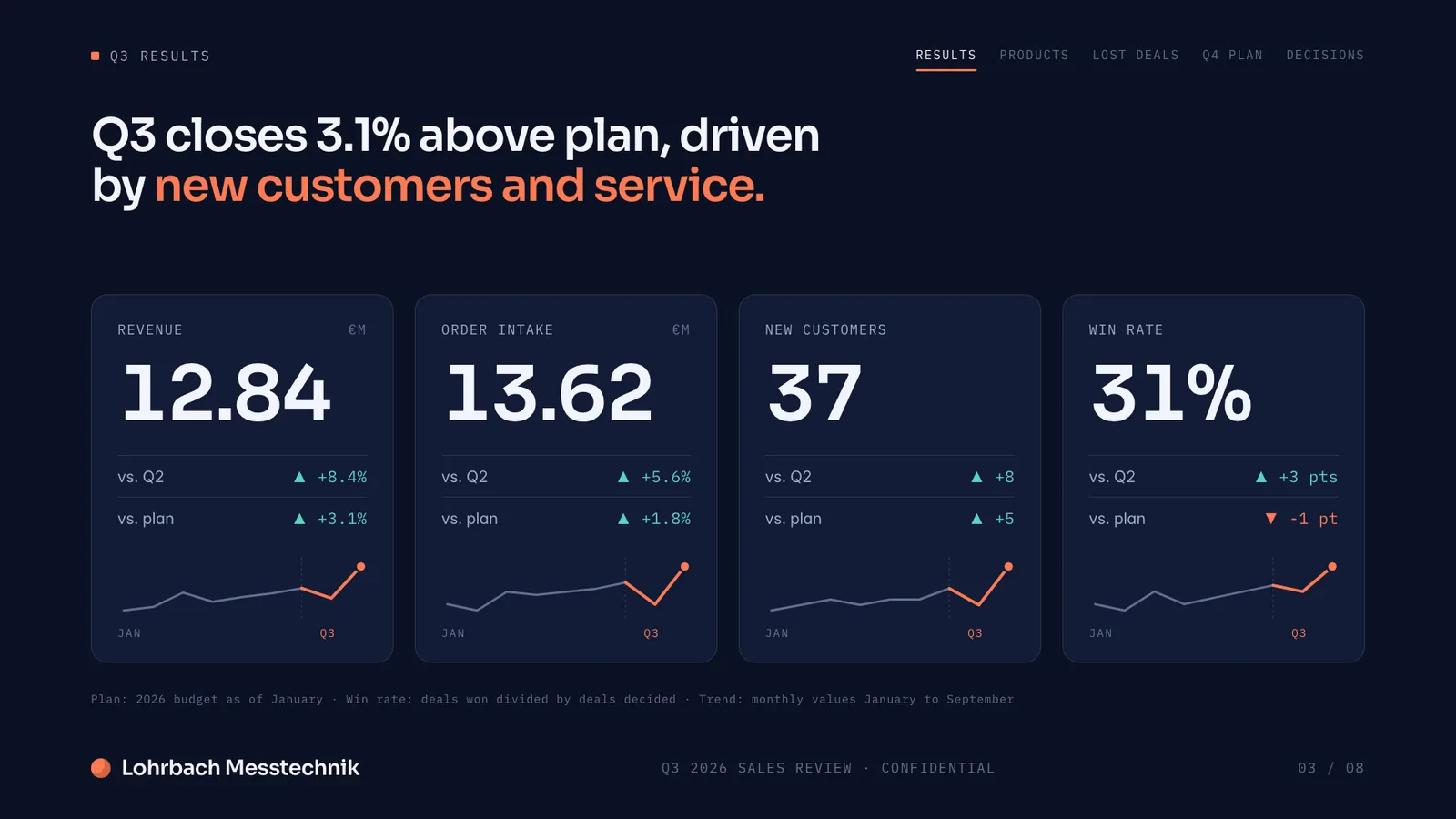
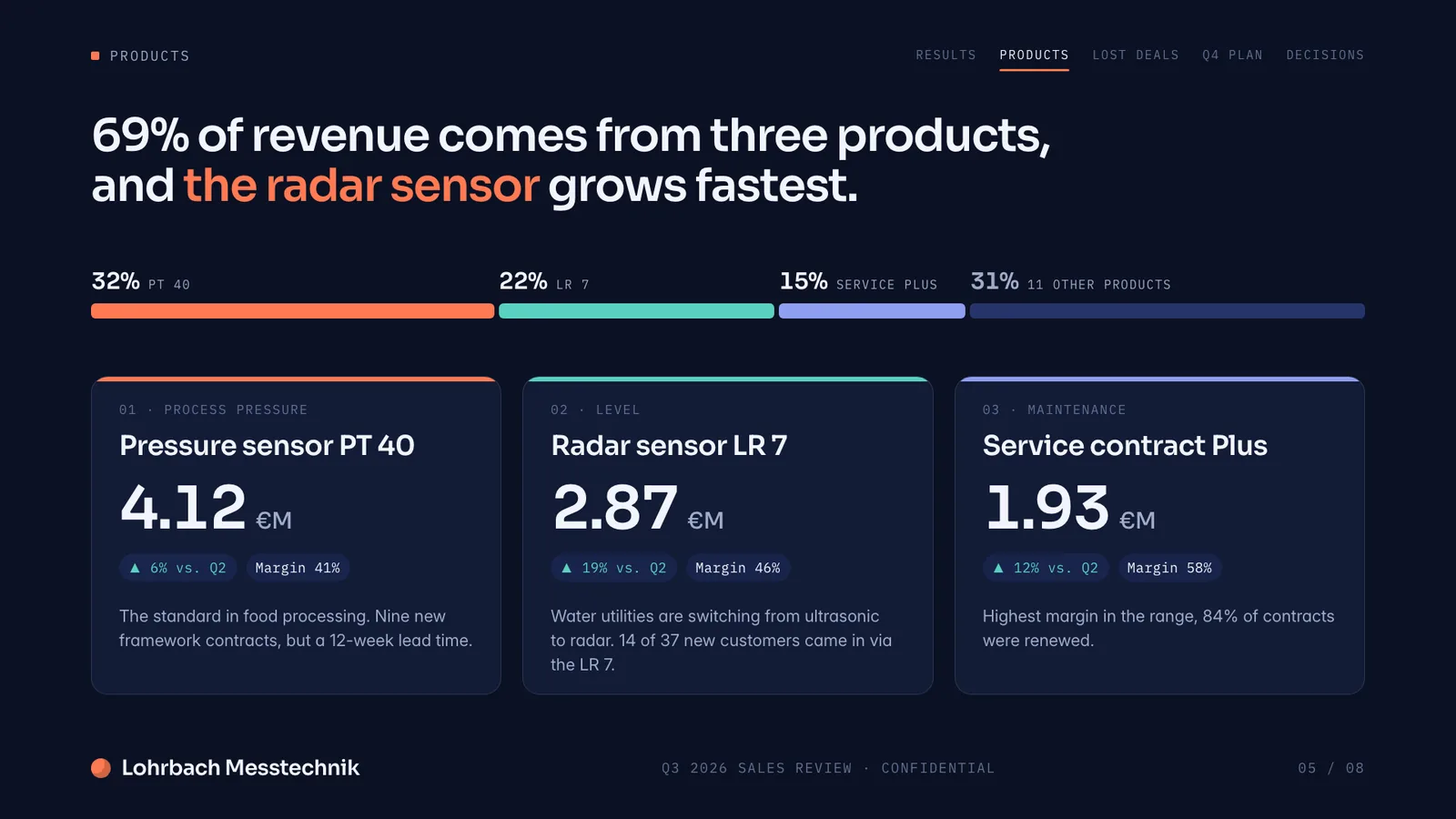
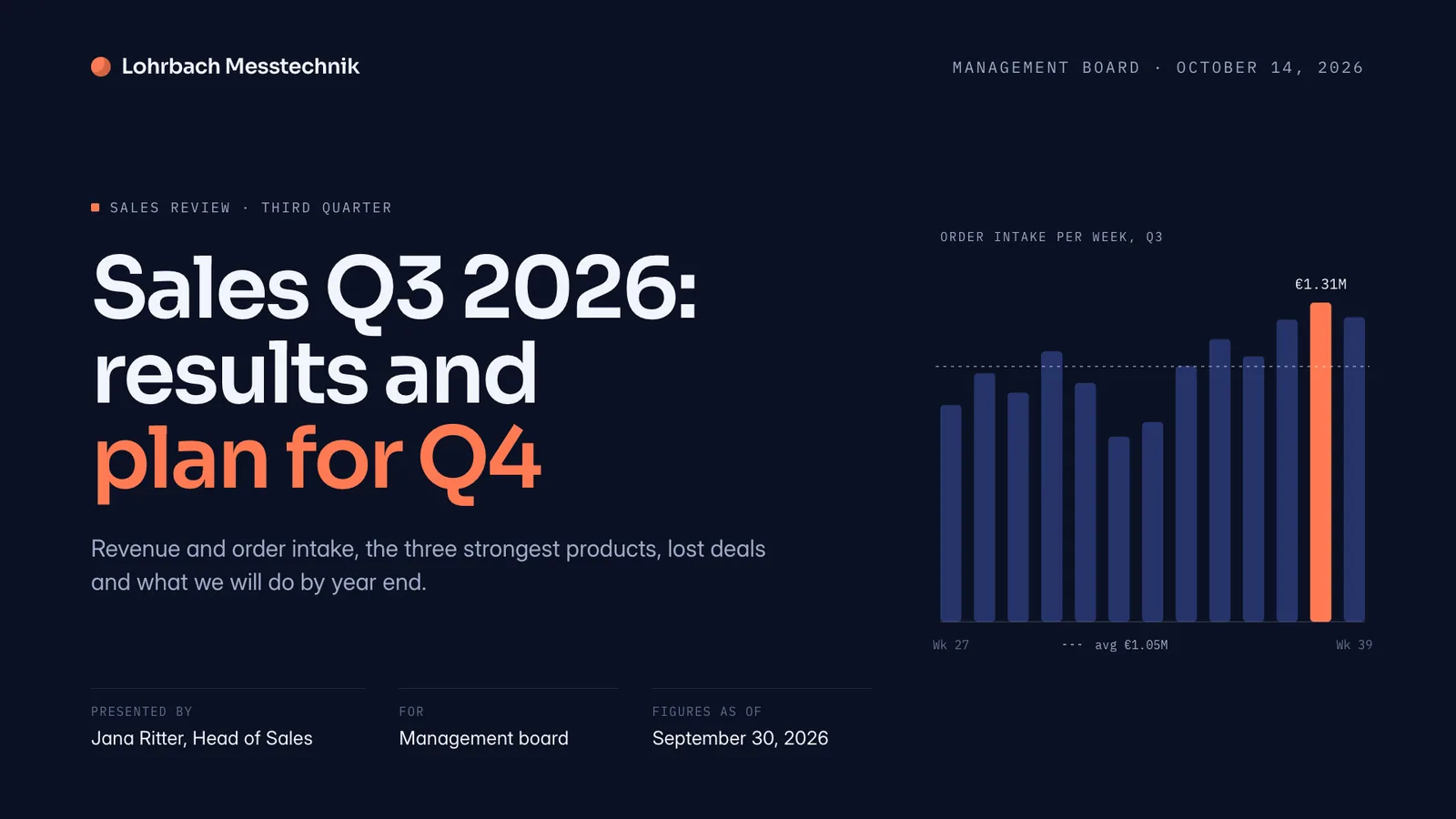
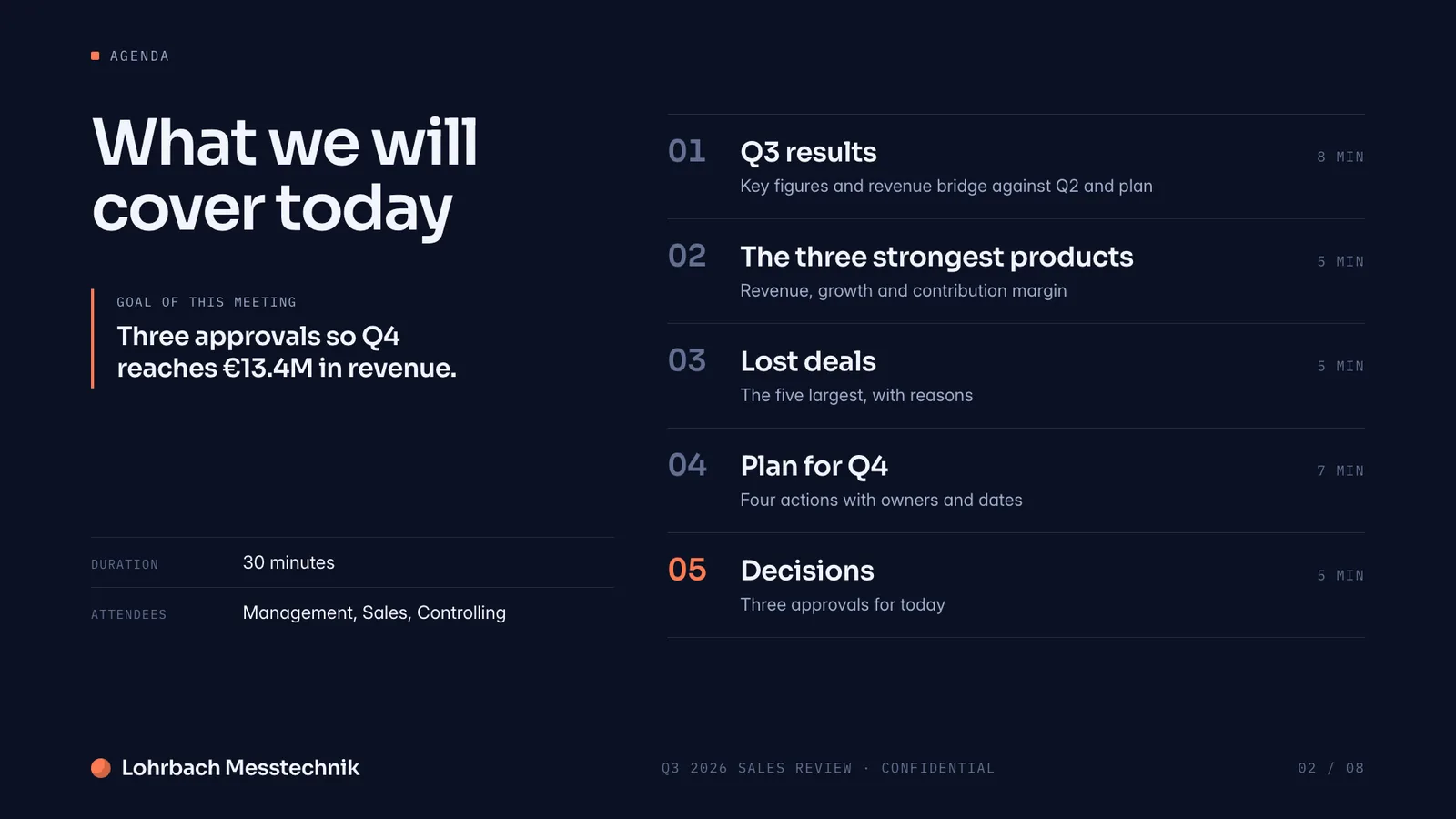
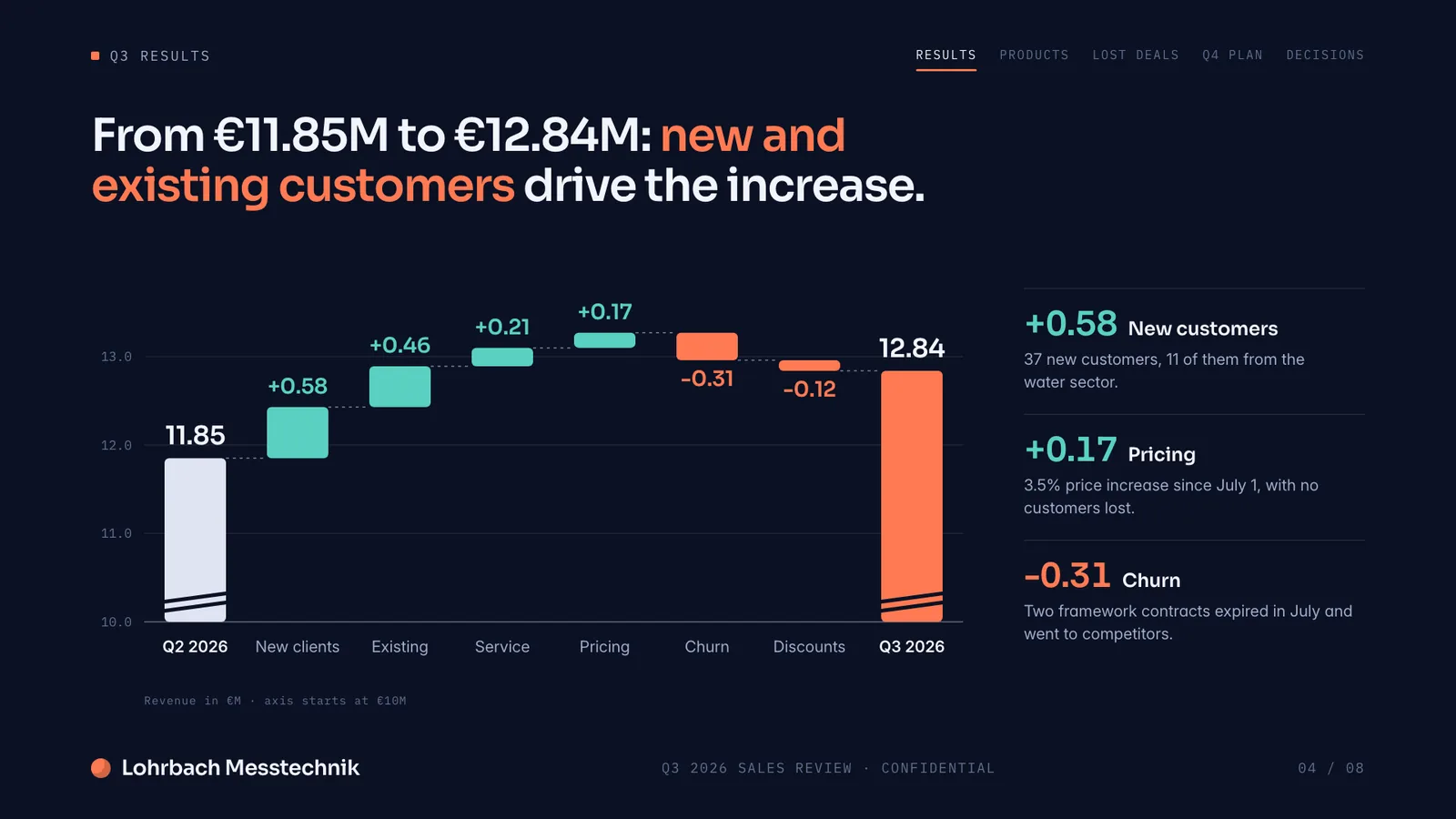
Example presentation for a fictional company. Names and numbers are sample valuesSee all 8 slidesExample in detail
If you want the deck built for you instead of slide by slide, use an AI tool that still hands you a PowerPoint file: Slaide plans, writes and designs every slide from your description, checks each page and exports an editable .pptx with speaker notes. If you only need a free editor, PowerPoint for the web is free with a Microsoft account, and Microsoft 365 Personal, Family and Premium include Copilot, which drafts decks inside PowerPoint. Many people use both: Slaide for the finished first version, PowerPoint for the last edits.
Describe the presentation you need. Slaide plans the structure, writes the content, designs every slide, and self-checks the layout. A finished, professional deck in minutes. No templates, no manual formatting, no desktop install.
What a finished result looks like
Every page below was designed as a real deck: layout, charts and copy. Click a page to see it large.
Why professionals look for a PowerPoint alternative
Manual formatting takes hours
Aligning text boxes, adjusting font sizes, tweaking spacing. PowerPoint puts all of that on you. Slaide handles every formatting decision automatically.
Templates make everything look generic
Thousands of PowerPoint templates exist. Most look exactly like PowerPoint templates. Slaide designs fresh for each document, no template fingerprint.
Copilot drafts, you still finish
Copilot in PowerPoint can create a presentation from a prompt, and Microsoft asks you to review, edit and verify what it creates. Slaide plans, writes, designs and self-checks the whole document before you see it.
AI needs the right plan
PowerPoint for the web is free, but Copilot comes with Microsoft 365 Personal, Family or Premium, or a Copilot license at work. Slaide builds a whole deck on its free plan, in the browser.
Slaide vs PowerPoint: feature by feature
| Feature | Slaide | PowerPoint | Winner |
|---|---|---|---|
| AI content generation | Full: plans, writes, designs and self-checks every page | With Copilot (Microsoft 365 Personal, Family, Premium or a work license) | Slaide |
| Document types | Pitch decks, reports, CVs, spreadsheets, one-pagers, proposals and more | Presentations and basic documents | Slaide |
| Setup required | Browser, free to start, no install | Free PowerPoint for the web with a Microsoft account; desktop app with Microsoft 365 or a one-time purchase | Tie |
| Export formats | Editable .pptx, PDF, PNG | Native .pptx, PDF | Tie |
| Excel output | Yes, live Excel files with working formulas | Separate app required | Slaide |
Our verdict
PowerPoint is the industry standard for editing and polishing slides. If your team is collaboratively refining an existing deck, PowerPoint is hard to beat. But you still do the work. Slaide removes the work.
These are different categories. PowerPoint is an editor. Slaide is a creator. PowerPoint gives you a blank canvas with formatting tools. Slaide gives you a finished document you can then take further.
For individual professionals who need new documents built from scratch, Slaide is dramatically faster. Describe what you need, get a finished presentation, export as PowerPoint, PDF or PNG. That workflow beats starting from a blank slide every time.
FAQ
Anything missing? Ask us
Is Slaide a replacement for PowerPoint?
For creating new presentations, yes. PowerPoint is an editor, you do the design work yourself. Slaide is a creator, you describe what you need and get a finished, designed result. Slaide exports to editable .pptx, PDF and PNG.
Does Slaide export to PowerPoint (.pptx)?
Yes. Slaide exports slide decks as editable PowerPoint (.pptx), plus PDF and PNG.
How long does it take to make a presentation in Slaide?
Most presentations are ready in under five minutes. You describe the topic, audience, and length. Slaide handles structure, content, and design. For complex documents with uploaded context files, allow a few minutes more.
The AI alternative to PowerPoint
Describe what you need. Slaide plans the structure, writes the content, designs every page and self-checks its own work. Free to start, no credit card.