AI alternative to Copilot for PowerPoint
Copilot for PowerPoint alternative: a finished deck without a Microsoft 365 plan
Copilot lives inside PowerPoint and can build a deck from your own Word document or PDF, respecting your organisation's templates and data. For teams already standardised on Microsoft 365, that integration is genuinely useful.
Free: 1 document, plan up to 12 pages, first 3 built, no credit card. Plans from €7.99/mo
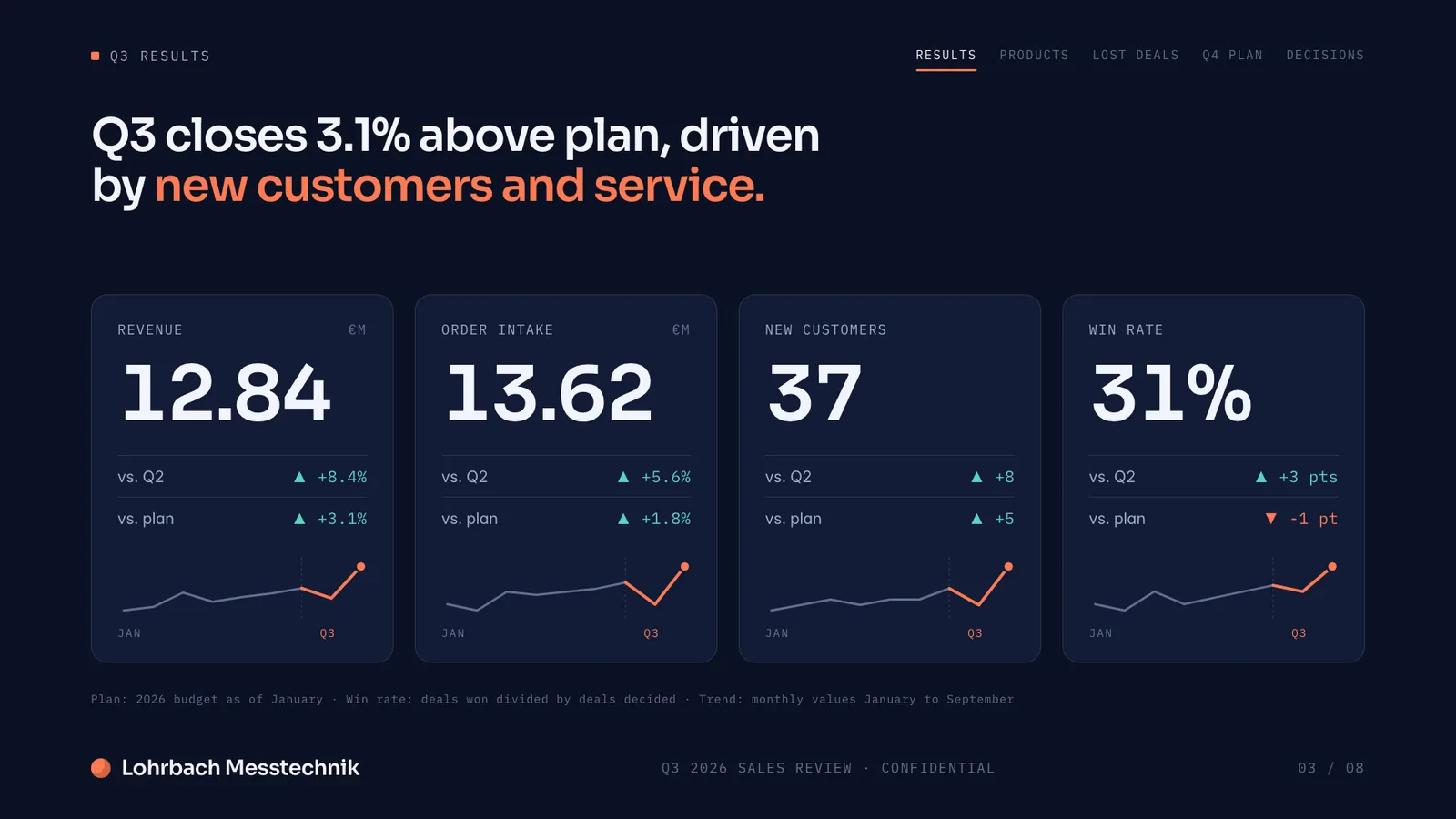
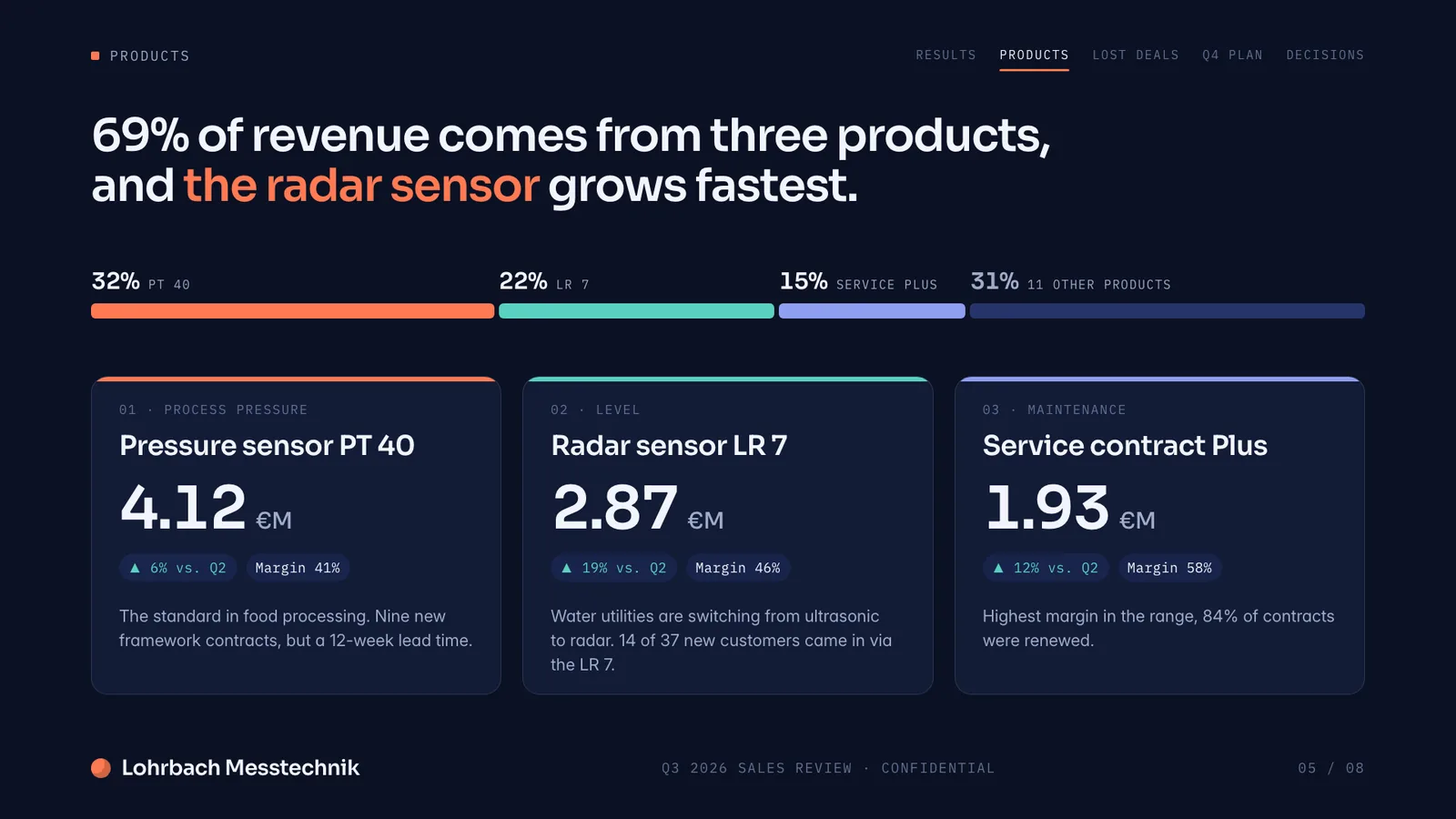
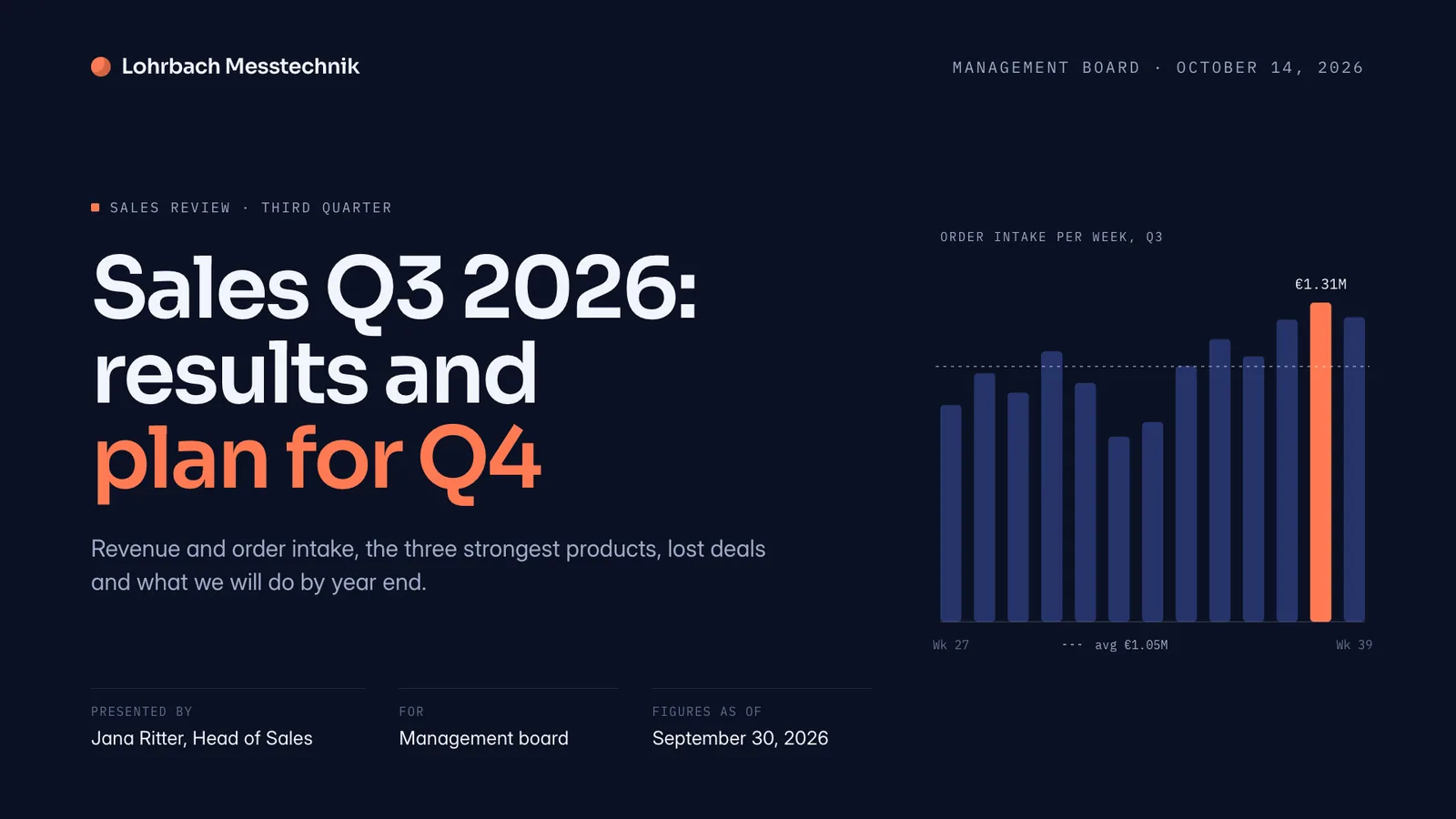
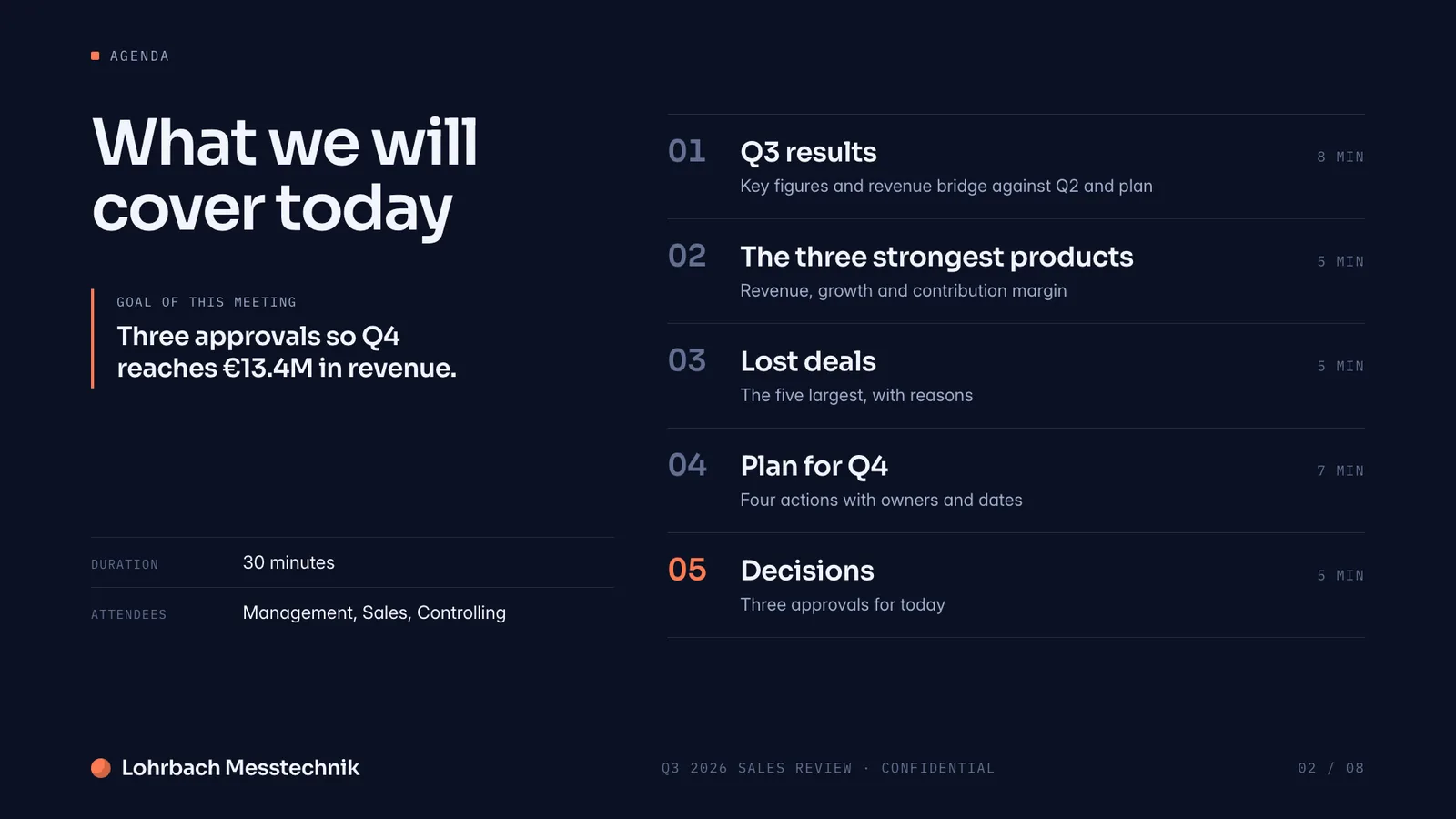
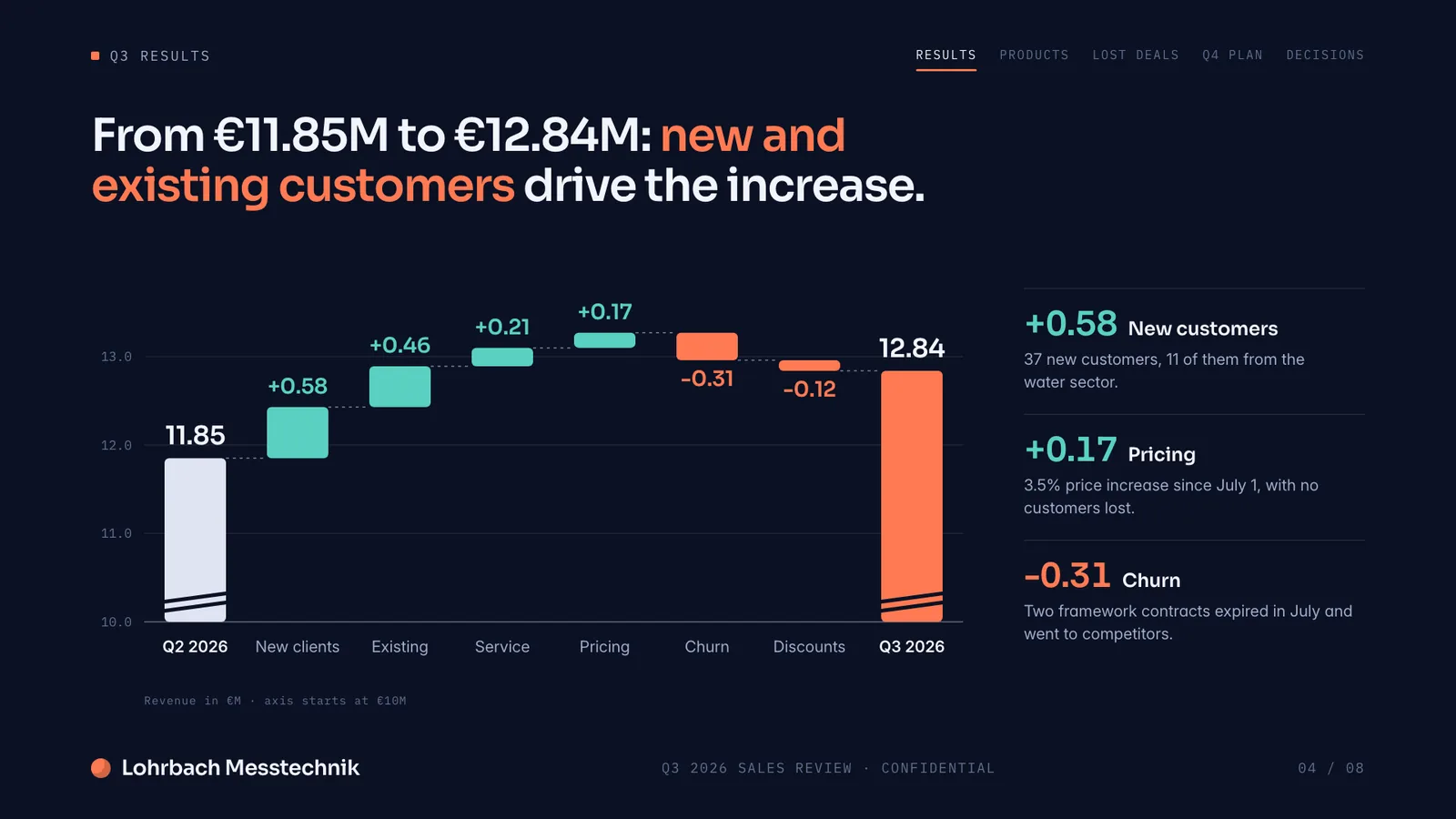
Example presentation for a fictional company. Names and numbers are sample valuesSee all 8 slidesExample in detail
If you don't have a Microsoft 365 plan with Copilot, Slaide builds the whole deck from your prompt in the browser and exports an editable .pptx you can open in any PowerPoint, including the free PowerPoint for the web. Copilot in PowerPoint comes with Microsoft 365 Personal, Family and Premium (Personal is $99.99 a year in the US, checked September 27, 2026) and, at work, with a Copilot license on top of a qualifying plan. If you already have Copilot, it is the natural choice for working inside an existing PowerPoint file.
Slaide works outside that ecosystem entirely. No subscription tier to qualify for, no licence to check. Describe what you need, Slaide plans, writes, designs and self-checks the document, then exports to editable PowerPoint.
What a finished result looks like
Every page below was designed as a real deck: layout, charts and copy. Click a page to see it large.
Working from a company template? How Slaide reads the layouts, fonts and colours of a PowerPoint you upload, and what it cannot carry over.
Use your own PowerPoint template with AIConsidering ChatGPT instead? What ChatGPT can do for a presentation, where it stops, and prompts that get you further.
ChatGPT for presentationsUsing Copilot in Word? Which AI tools turn your data and notes into a finished Word or PDF report, and where each one stops.
AI tools for reports comparedUsing Copilot in Excel? Which tools build a working spreadsheet from your data and which only analyse one.
Best AI spreadsheet tools
Why professionals look for a Copilot for PowerPoint alternative
Requires a paid Microsoft 365 subscription
Copilot for PowerPoint isn't sold on its own. Business access is $18-21/user/month and Enterprise is $30/user/month, each on top of a qualifying Microsoft 365 plan. Slaide's free plan needs no subscription and no card.
Capabilities vary by licence tier
What Copilot can actually do differs materially between consumer access, Copilot Chat, Business and Enterprise. Slaide works the same way for every user on every plan.
Best in English, and Microsoft flags accuracy risk
Microsoft states Copilot's output quality is strongest in English and that AI output may be inaccurate and needs human review. Slaide self-checks every page before you see it and searches the web for current context first.
Not a standalone tool
You can't just buy Copilot for PowerPoint by itself, it requires a qualifying Microsoft 365 subscription underneath. Slaide is free to start on its own, no other subscription required.
Slaide vs Copilot for PowerPoint: feature by feature
| Feature | Slaide | Copilot for PowerPoint | Winner |
|---|---|---|---|
| Standalone availability | Yes, free to start on its own | No, requires a qualifying Microsoft 365 subscription | Slaide |
| Monthly cost (Business tier) | Free to start; Plus from €7.99/month | $18-21/user/month on top of a Microsoft 365 plan | Slaide |
| Works inside PowerPoint natively | No, exports to editable .pptx | Yes | Copilot for PowerPoint |
| Self-checks output | Self-checks every page before you see it | Microsoft advises manual review of AI output | Slaide |
| Web search before writing | Yes, searches the web for live context | Web-based Copilot Chat shows results from the internet | Tie |
| Document types | Pitch decks, reports, CVs, spreadsheets, one-pagers and more | PowerPoint decks | Slaide |
Our verdict
If your organisation already pays for a qualifying Microsoft 365 tier and you need a deck built from company documents and templates, Copilot's native integration is a real advantage.
Outside that specific setup, the cost and complexity stack up: a subscription requirement on top of a subscription, capabilities that shift by licence tier, and an explicit warning from Microsoft to review AI output carefully.
Slaide skips all of that. Free to start, one consistent capability set for everyone, self-checked output, and export to real PowerPoint at the end. For anyone without an enterprise Microsoft 365 setup already in place, it's the simpler path to a finished deck.
FAQ
Anything missing? Ask us
Can I buy Microsoft Copilot for PowerPoint on its own?
No. Copilot access requires a qualifying Microsoft 365 subscription; Business tier is $18-21/user/month and Enterprise is $30/user/month, each on top of that base plan.
Does Copilot work the same for every Microsoft 365 user?
No. Capabilities differ between consumer access, Copilot Chat, Business and Enterprise licences. Slaide provides the same capability to every user regardless of plan.
Is Slaide's output more reliable than Copilot's?
Microsoft advises reviewing Copilot's AI output for accuracy, particularly outside English. Slaide self-checks every page before showing it to you and can search the web for current information before writing.
The AI alternative to Copilot for PowerPoint
Describe what you need. Slaide plans the structure, writes the content, designs every page and self-checks its own work. Free to start, no credit card.