AI alternative to Word and Google Docs: the finished report, as a Word file
Word and Google Docs are text editors. A blank page, formatting tools, and a cursor. The document is entirely your work.
Free: 1 document, plan up to 12 pages, first 3 built, no credit card. Plans from €7.99/mo
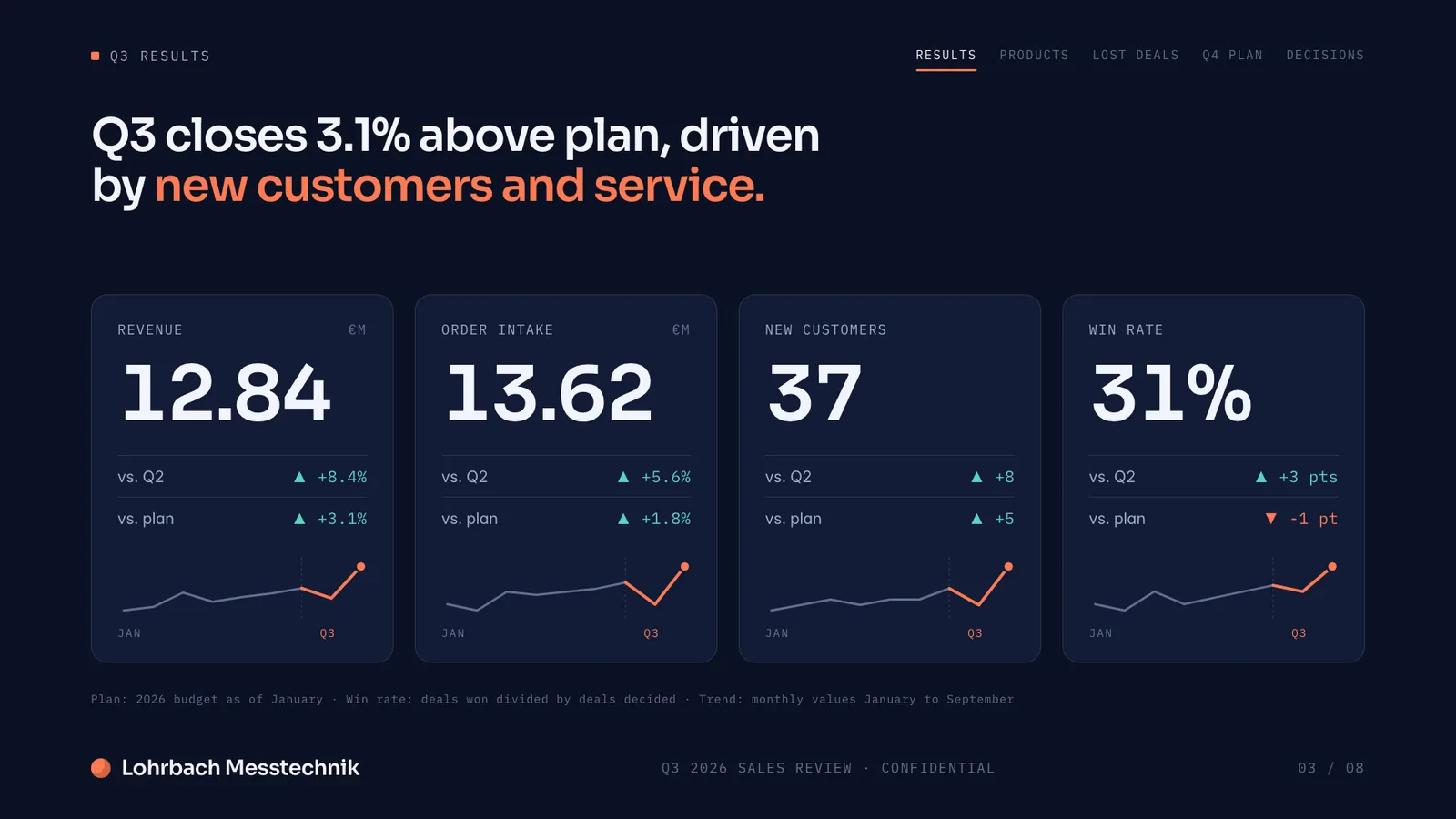
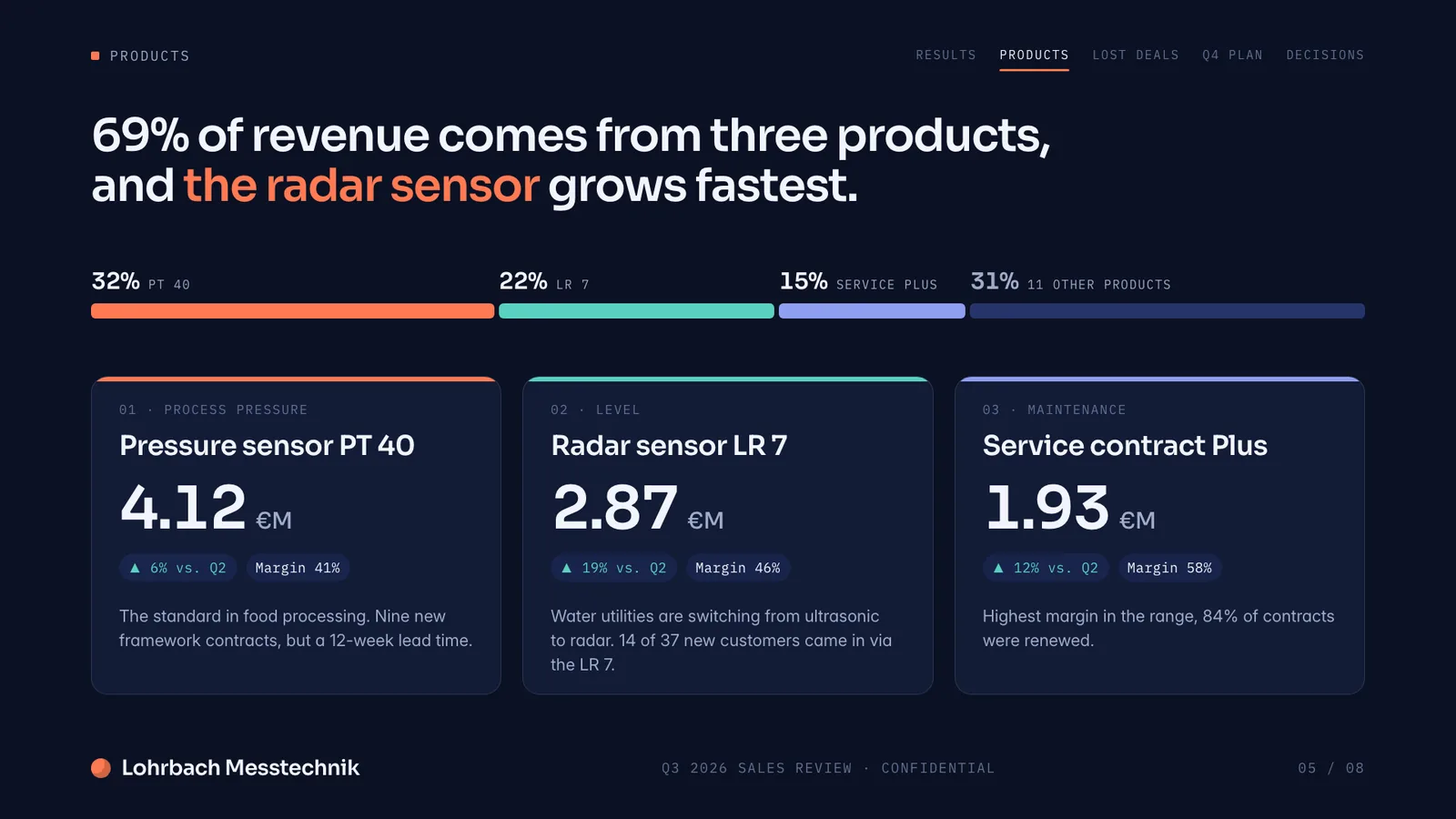
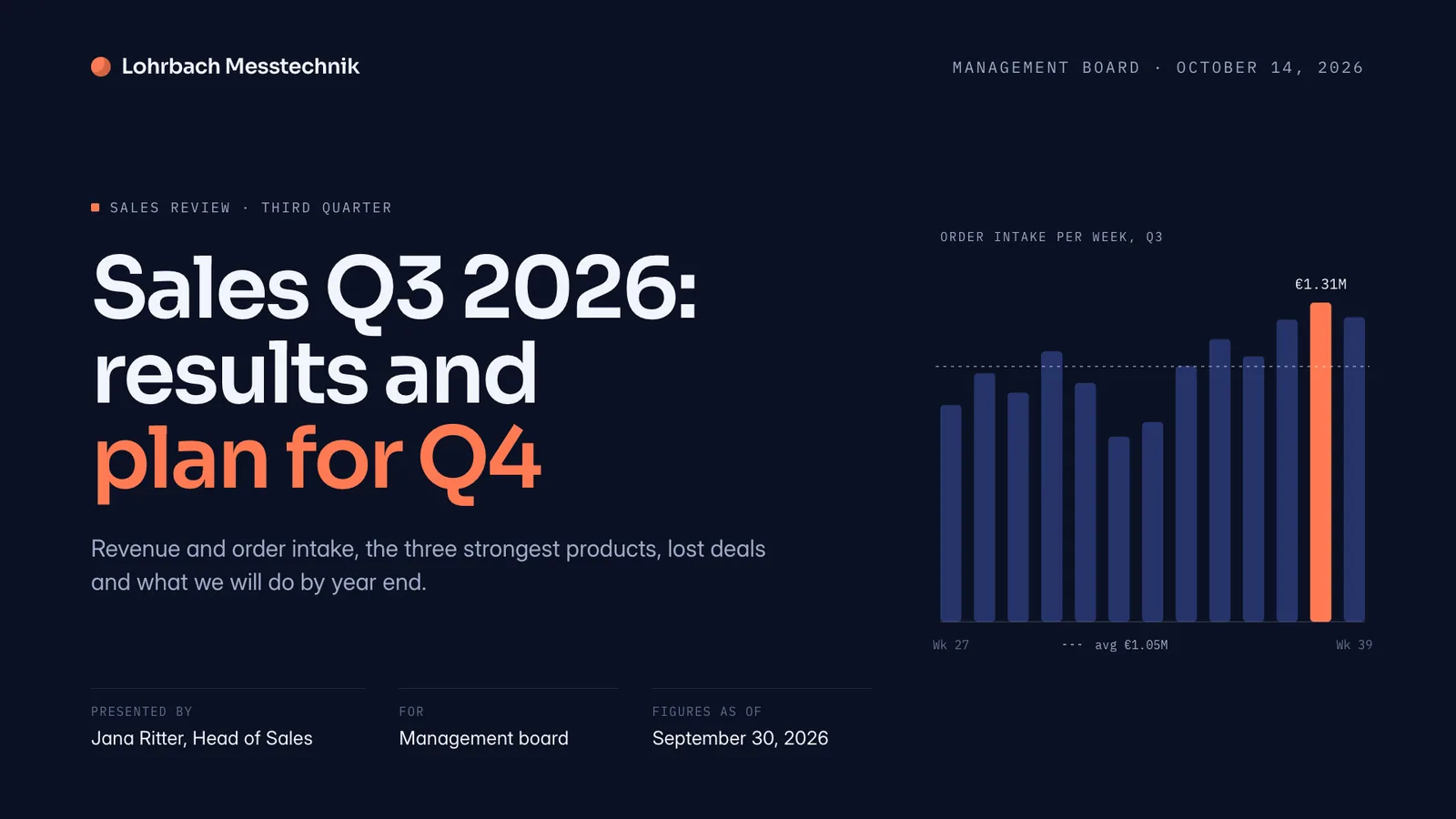
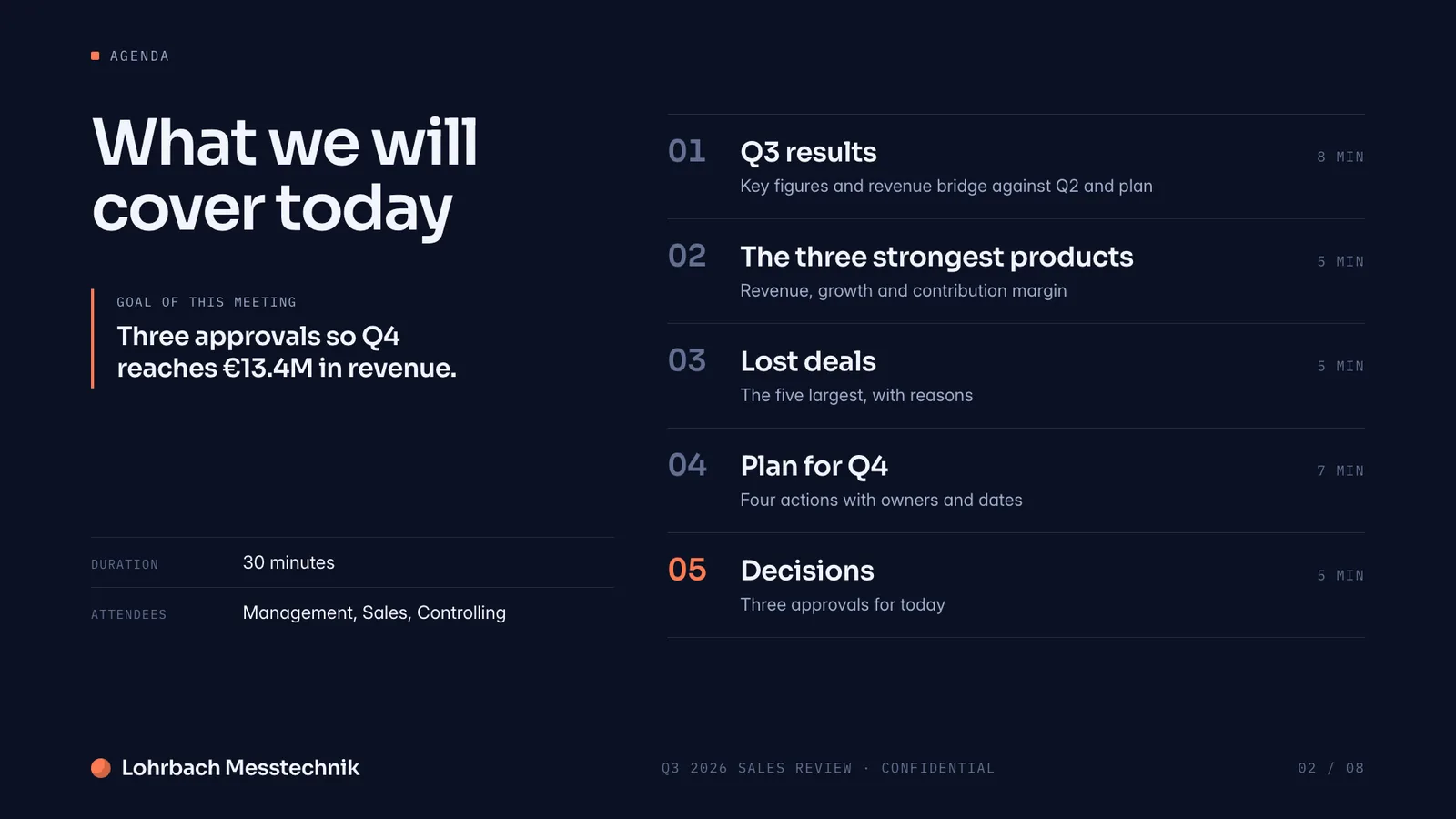
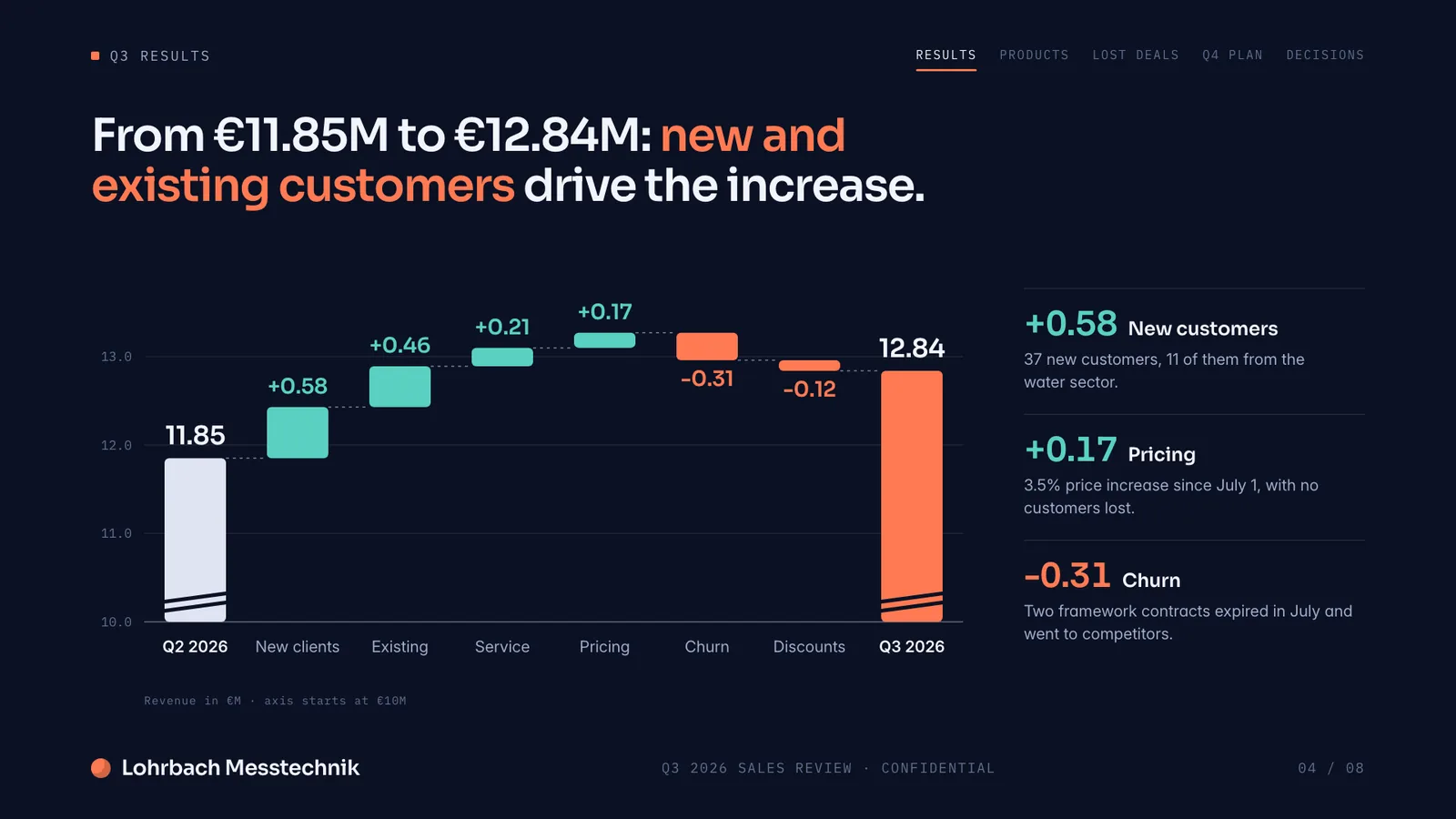
Example presentation for a fictional company. Names and numbers are sample valuesSee all 8 slidesExample in detail
If you want the whole document written and laid out for you, not just help with a draft, use a generator that still hands you a Word file: Slaide plans the sections, writes and designs every page, checks it and exports .docx with real headings, lists and tables, or a PDF. Word and Google Docs stay the better tools for long texts several people edit at once, and Copilot in Word (Microsoft 365 Personal, Family, Premium) or Gemini in Docs (eligible Workspace plans) can draft text inside them.
Slaide is a document creator. Describe the report, proposal, or white paper you need. Slaide plans the structure, writes the content, and produces a professionally designed, complete document. The blank page problem disappears.
What a finished result looks like
Every page below was designed as a real deck: layout, charts and copy. Click a page to see it large.
Writing reports in Word? Which AI tools turn your data and notes into a finished Word or PDF report, and where each one stops.
Best AI tools for reports
Why professionals look for a Word / Google Docs alternative
Blank page paralysis
Opening a new Word document means deciding everything: structure, headings, flow, length. Slaide makes those decisions first and shows you the result.
Formatting takes as long as writing
Heading styles, margins, consistent spacing, table formatting. Word gives you the controls. Using them well takes time. Slaide formats automatically for the document type.
No design layer
Word documents are text-heavy by default. Professional consulting reports, investor one-pagers, and executive summaries need visual structure. Slaide adds charts, callouts, and visual hierarchy automatically.
No AI structure planning
Word has Copilot for autocomplete and drafting assistance. Slaide plans the full document structure before writing a word, sections, flow, visual hierarchy, then executes and self-checks.
Slaide vs Word / Google Docs: feature by feature
| Feature | Slaide | Word / Google Docs | Winner |
|---|---|---|---|
| Document creation | AI plans structure, writes content, designs layout | Blank page + templates to fill | Slaide |
| Formatting | Automatic, designed for the document type | Manual, you set fonts, headings, spacing | Slaide |
| Visual design | Professional visual design with charts, callouts, headers | Text-heavy, limited visual layout | Slaide |
| Collaboration | Invite people by email to edit live; AI tasks stay with the owner, no comments | Real-time multi-user editing | Word / Google Docs |
| Export | PDF, PNG, Word, Excel | Word, PDF, plain text | Tie |
Our verdict
Word and Google Docs are still essential for long-form collaborative writing. Legal documents, contracts, academic papers where multiple people edit simultaneously, nothing replaces shared document editing for that work.
For creating structured professional documents with a designed layout, Slaide is in a different category. A consulting proposal, an investor report, a business one-pager, these need structure and visual design, not just text. Slaide delivers both without any manual formatting.
The practical workflow: use Slaide to create the document, export to PDF or Word, then hand it to colleagues who need to edit the text. That beats starting from a blank page and spending an hour on formatting.
FAQ
Anything missing? Ask us
Can Slaide create written reports, not just presentations?
Yes. Slaide creates any professional document: reports, proposals, white papers, research summaries, executive briefs, CVs. The output is a designed document, not just formatted text.
Does Slaide replace Google Docs for collaborative editing?
Not for heavy team writing. You can invite people by email to edit a Slaide document live, but there are no comments, live cursors or shared team workspaces, so Google Docs stays the better tool for documents a team writes together. Slaide is for creating a finished document from one clear goal, usually within a few minutes.
Can I export a Slaide document to Word format?
Yes. Slaide exports to PDF, PNG, and Word (.docx) so you can open and edit the document further in Word or Google Docs.
The AI alternative to Word / Google Docs
Describe what you need. Slaide plans the structure, writes the content, designs every page and self-checks its own work. Free to start, no credit card.