Turn any webpage into slides.
The Slaide Chrome extension reads the article, report or page in front of you and builds a designed, editable presentation from it, right in the side panel. Download it as PowerPoint, or keep editing in Slaide.
- Free first presentation
- Editable .pptx
- Reads a page only when you click
Chrome Web Store listing in review. Until then, Slaide works the same in the web app.
In short
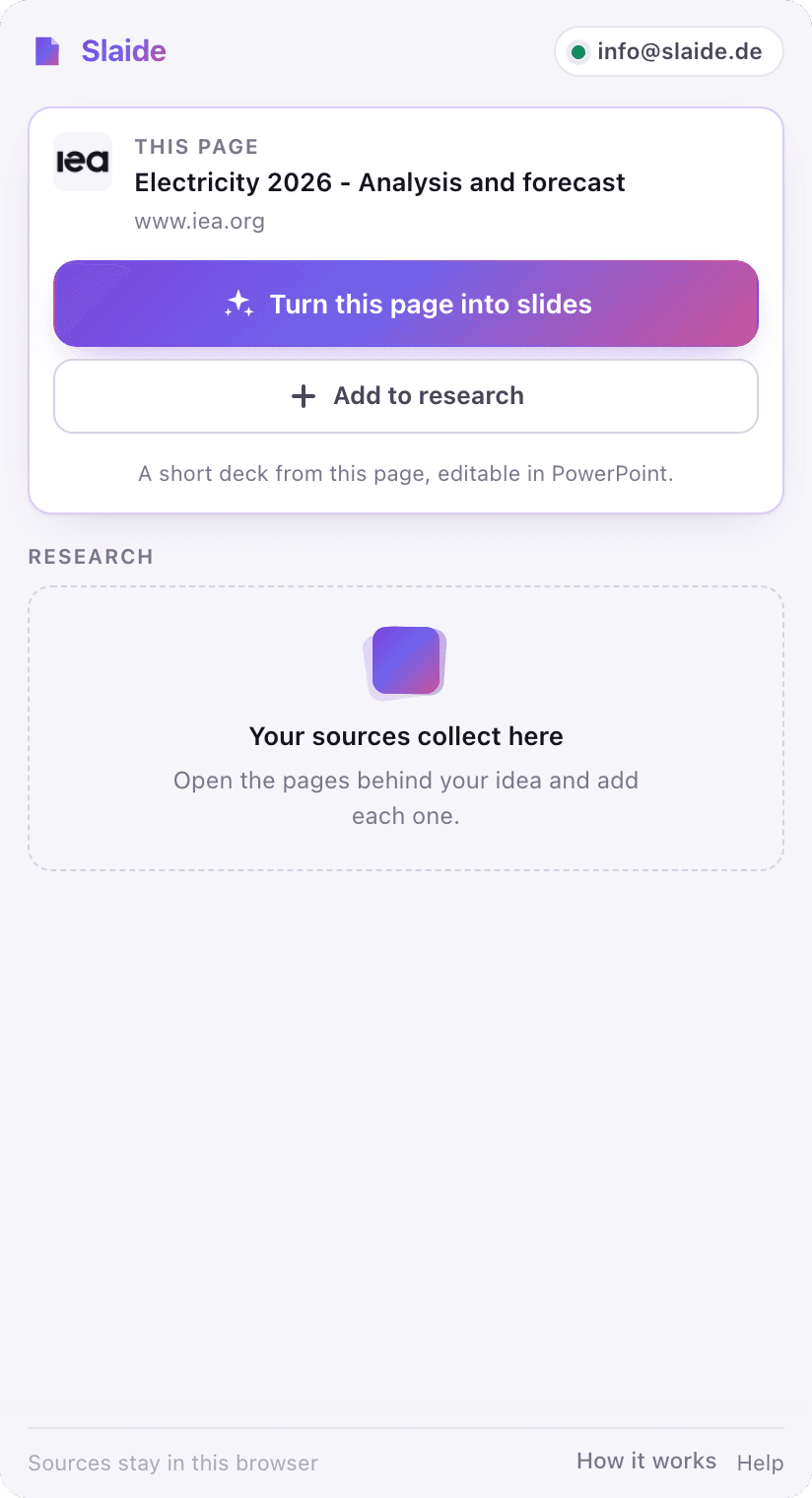
Slaide for Chrome is a free side-panel extension for Google Chrome that turns a webpage into a presentation. Open the panel on any article and click "Turn this page into slides", or collect up to 8 pages and highlighted passages first. Slaide plans, writes and designs the deck, keeps the source URLs with it, and exports a native, editable PowerPoint file. The first presentation is free with 3 built slides.
How it works
From an open tab to a finished deck.
- 1
Open the panel on any page
Click the Slaide icon or press Alt+Shift+S. The side panel shows the page in front of you, and one button turns it into slides. Nothing to copy, nothing to paste.
 2
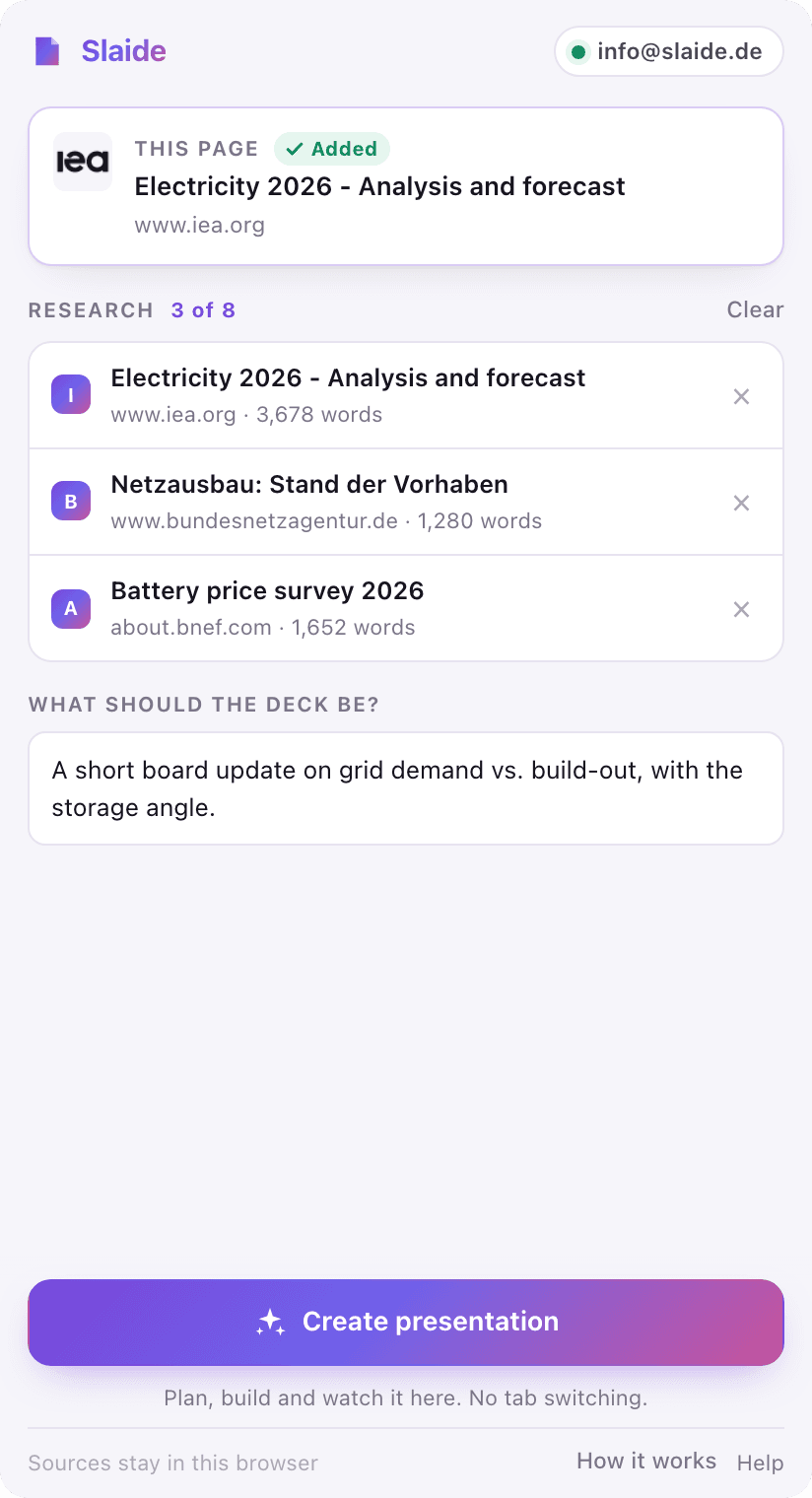
2Add more sources if you like
Building a deck from research? Add up to 8 pages or just the passages you highlight, from any tab or the right-click menu. Say in one line what the deck is for, or leave it empty.
 3
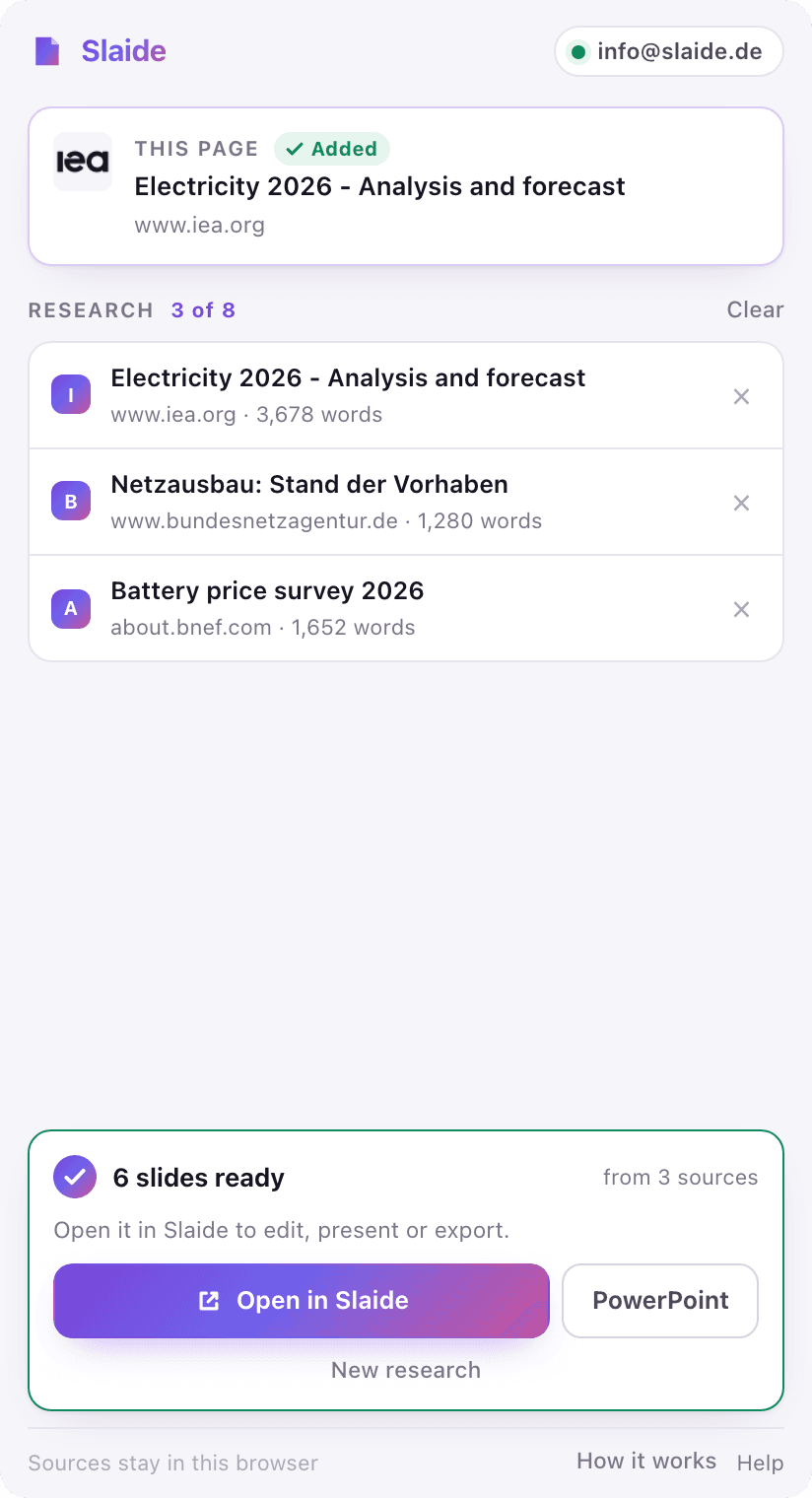
3Get an editable presentation
Slaide builds the deck while you keep reading, even with the panel closed. Open it in Slaide to edit and present, or download it as a PowerPoint file with real, editable text.
What people turn into slides
Anything you can read in Chrome.
If it is a webpage with real text, Slaide can build a presentation from it. The most common starting points:
Article to presentation
Turn a long read, an analysis or a news story into a short deck with the key points, figures and a clear takeaway.
Blog post to slides
Repurpose your own blog post or a guide into slides for a talk, a webinar or a LinkedIn carousel draft.
Report page to board deck
Condense a research page, a study summary or an annual-report section into a board or team update.
Several sources into one deck
Combine pages from different sites into one argued presentation, with every source kept in the document.
Wikipedia to lecture slides
Build teaching or study slides from an encyclopedia entry and the pages it cites.
Product page to sales deck
Start a pitch or sales deck from a product, pricing or case-study page, then refine it in Slaide.
Why the side panel
Better than pasting a link into a chatbot.
A deck, not a text outline
You get designed slides with layout, hierarchy and charts where the content has numbers, not a bullet list to rebuild by hand.
Real PowerPoint
Export a native .pptx with editable text, shapes and tables. Open it in PowerPoint, Keynote or Google Slides and keep working.
The sources stay attached
Every page you add travels with the presentation as context and provenance, so you can check where a claim came from.
It reads what you see
The panel reads the page as it is in your browser, including pages behind your own login, and only when you click.
Keep reading while it builds
The deck is built on Slaide's servers. Switch tabs, keep researching, or close the panel; it picks the run back up.
One Slaide account
Same account, same library and same plans as Slaide on the web. If you are signed in to Slaide in Chrome, the panel is too.
Free to start
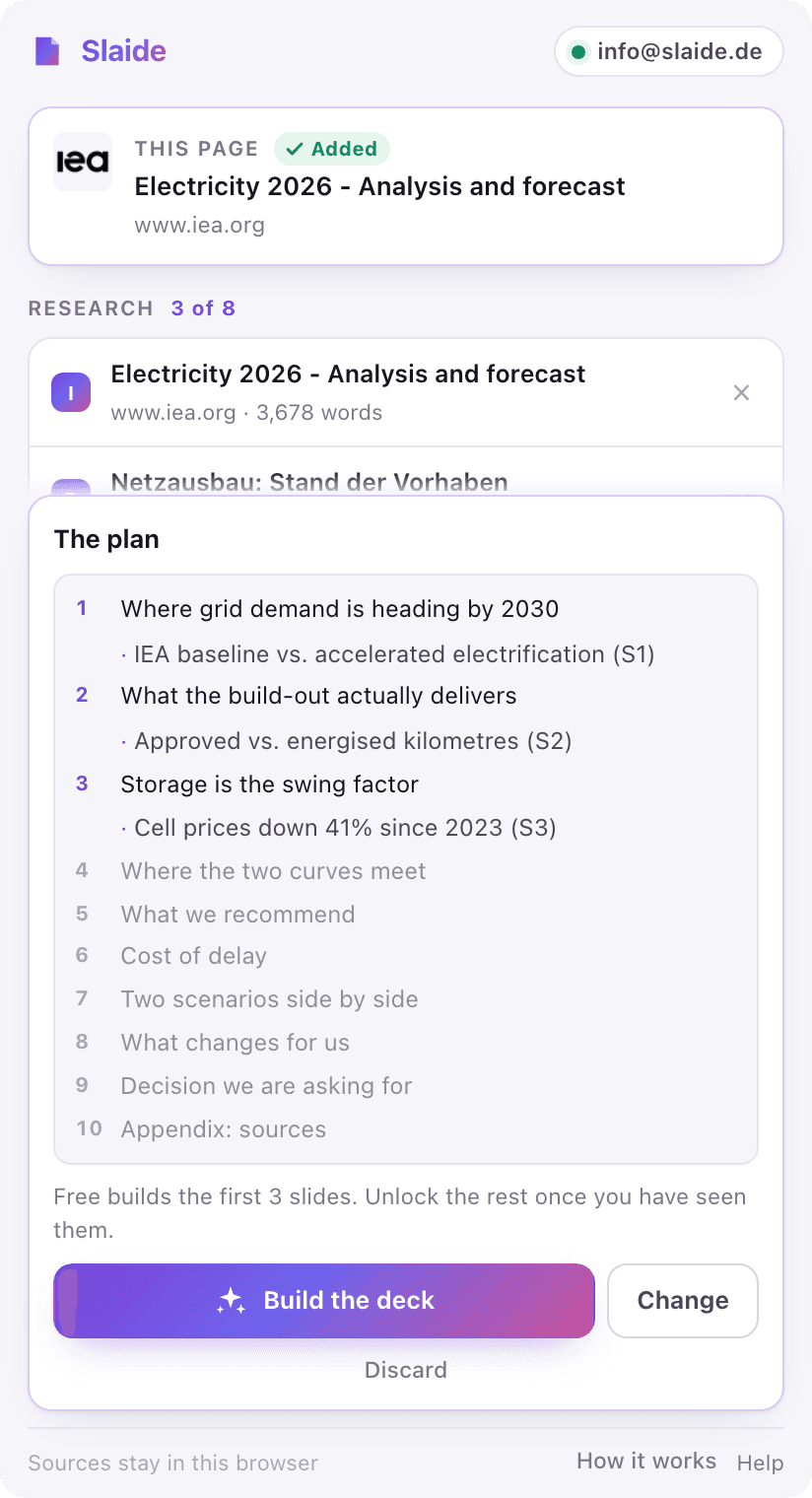
See the whole plan before you pay a cent.
Your first presentation is free: Slaide plans up to 12 slides and builds the first 3, and the plan shows exactly which ones. Like the result? Unlock the rest in one click and the deck finishes where you left it.
Free
- 1 presentation, 3 slides built
- Plan of up to 12 slides, visible in full
- PowerPoint export with a small Slaide mark
- No credit card
Plus
- From €7.99/month
- Every slide of the plan
- No Slaide mark on exports
- The same plan in the web app and the extension
Privacy
It reads a page only when you ask it to.
- No browsing history, no background reading. The panel reads a page when you press a button or use the right-click menu.
- Collected sources stay in the extension's local storage on your computer until you create the presentation.
- Site icons load from the site you are on, never through a third-party service.
- Your files and sources are never used to train AI models.
Questions about the Chrome extension
How do I turn a webpage into a PowerPoint presentation?
Install Slaide for Chrome, open the article you want to present, click the Slaide icon and press "Turn this page into slides". Slaide reads the page, builds the presentation in the side panel and lets you download it as an editable PowerPoint (.pptx) file or open it in Slaide.
Is the Slaide Chrome extension free?
Yes. The extension is free to install and your first presentation is free: Slaide plans up to 12 slides and builds the first 3. Free exports carry a small Slaide mark. Paid plans start at €7.99/month and build every slide without the mark.
Can I make slides from only part of a page?
Yes. Highlight the passage you want and choose "Add highlighted text" in the panel or "Add selection to Slaide" in the right-click menu. Only that passage becomes a source.
Can I combine several websites into one presentation?
Yes. Add up to 8 pages or highlighted passages from different tabs, write one line about what the deck should be, and Slaide shows you a plan to approve or change before it builds the presentation from all of them.
Does it work with PDFs?
Not inside Chrome's built-in PDF viewer: Chrome blocks every extension there. Upload the PDF in the Slaide web app instead, where it is read as a source file, or open the webpage version of the document.
Which languages does it support?
The panel speaks English and German. The presentation is written in the language of your one-line brief, so a brief in Spanish or French gives you a Spanish or French deck.
Can I edit the presentation afterwards?
Yes. Open it in Slaide to change any slide by hand or by asking for a focused change, or download the .pptx and edit it in PowerPoint, Keynote or Google Slides.
Why does the extension ask to read data on all websites?
So that adding a page works on every tab straight away, without an extra click first. The extension reads a page only when you add it and shows the title of the page in front of the panel. It never reads pages in the background and never collects browsing history.
Which browsers are supported?
Google Chrome 116 or newer on desktop. Chrome's side panel is what lets Slaide stay open next to the page while you read.
Your next deck is already open in a tab.
Turn the page you are reading into a presentation you can edit, present and send. Free to start, no credit card.
Start free