For decks you already have
Improve an existing PowerPoint with AI, without rebuilding it
Upload your .pptx and say in one sentence what should get better. Slaide shortens, rewrites, translates, updates numbers and writes speaker notes, on your slides and in your design. You get a PowerPoint back.
Free account, no credit card. After signing up you upload your .pptx (up to 30 MB); the free plan reads the first 3 slides. Updated .
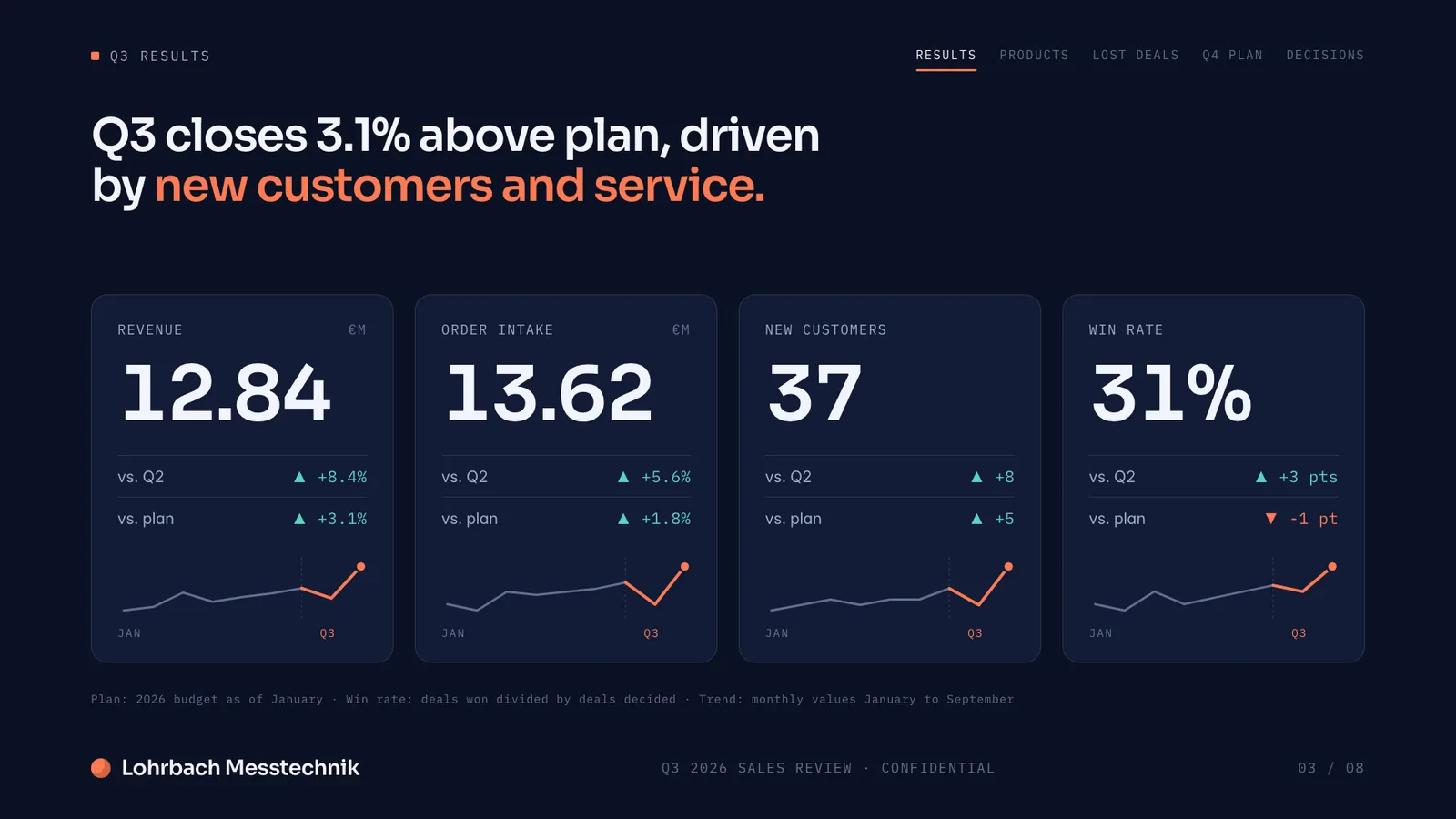
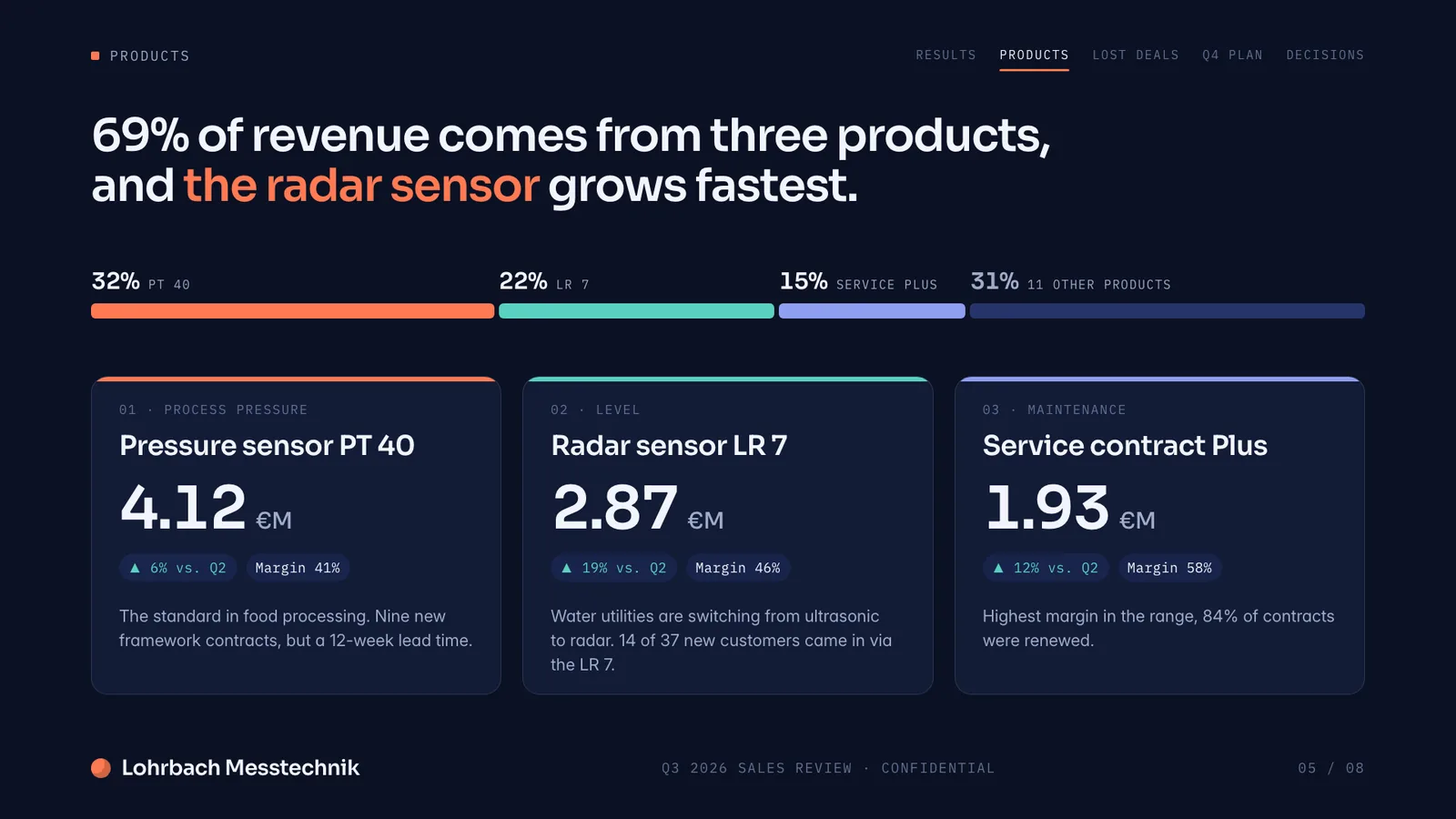
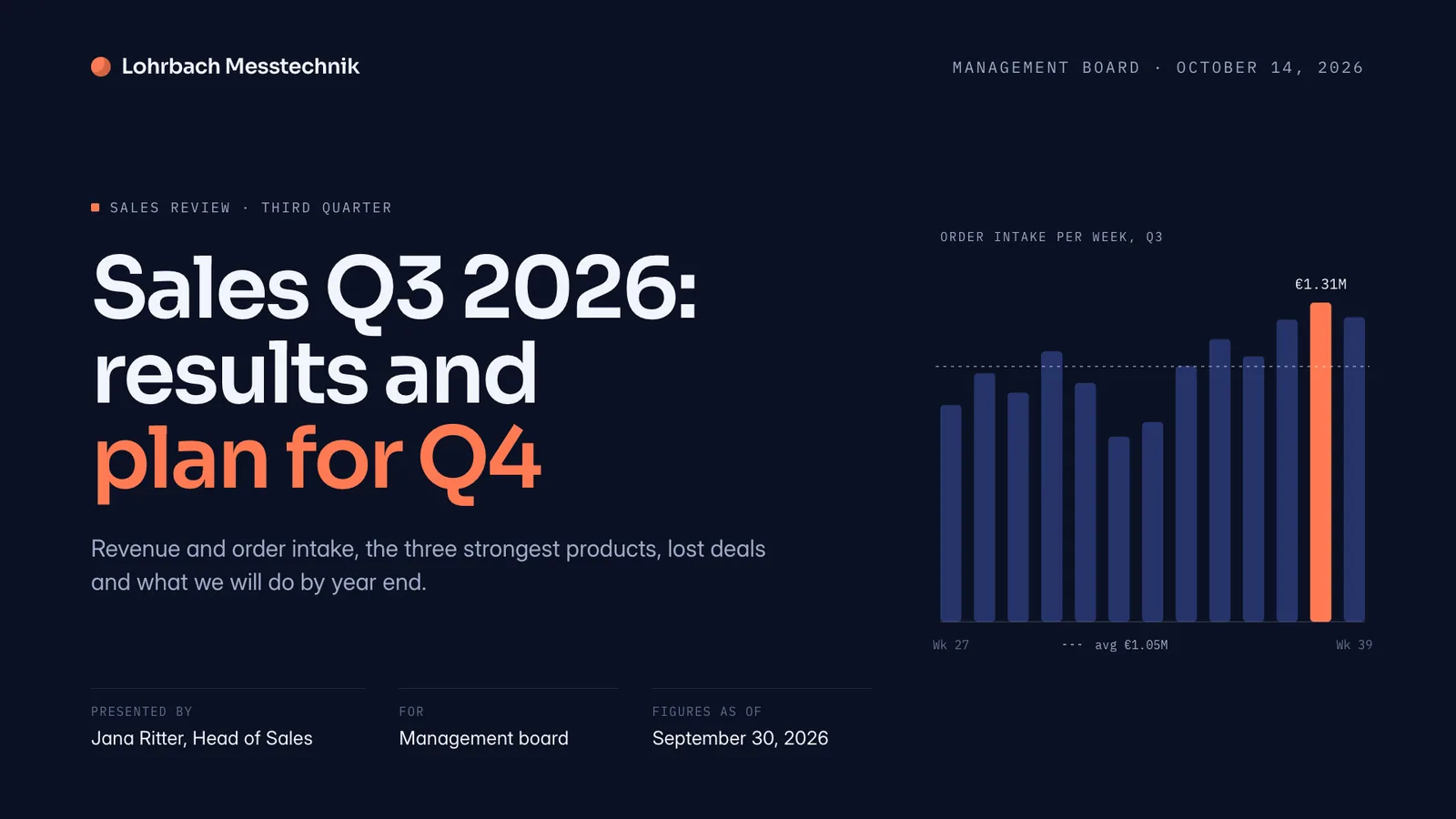
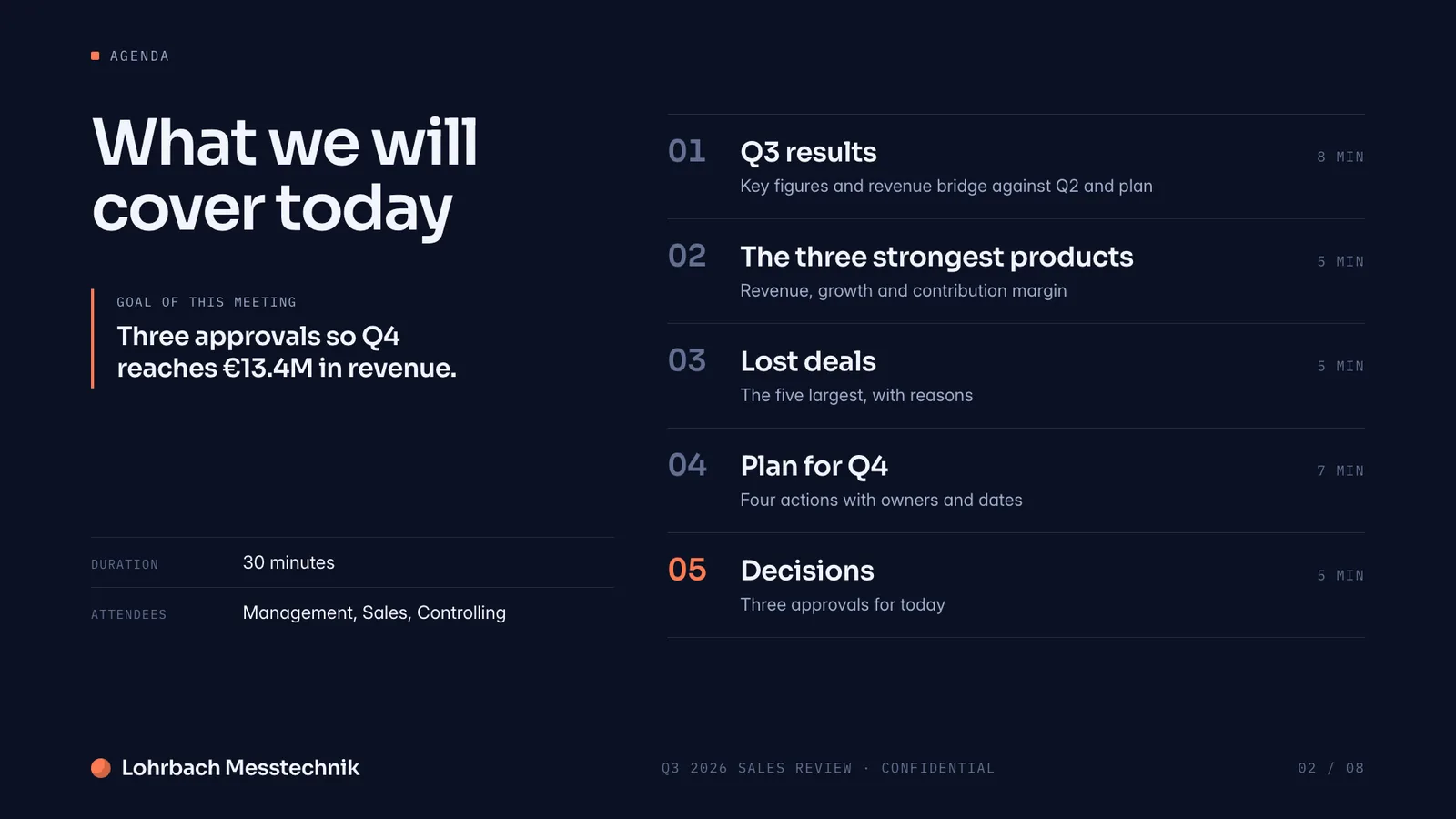
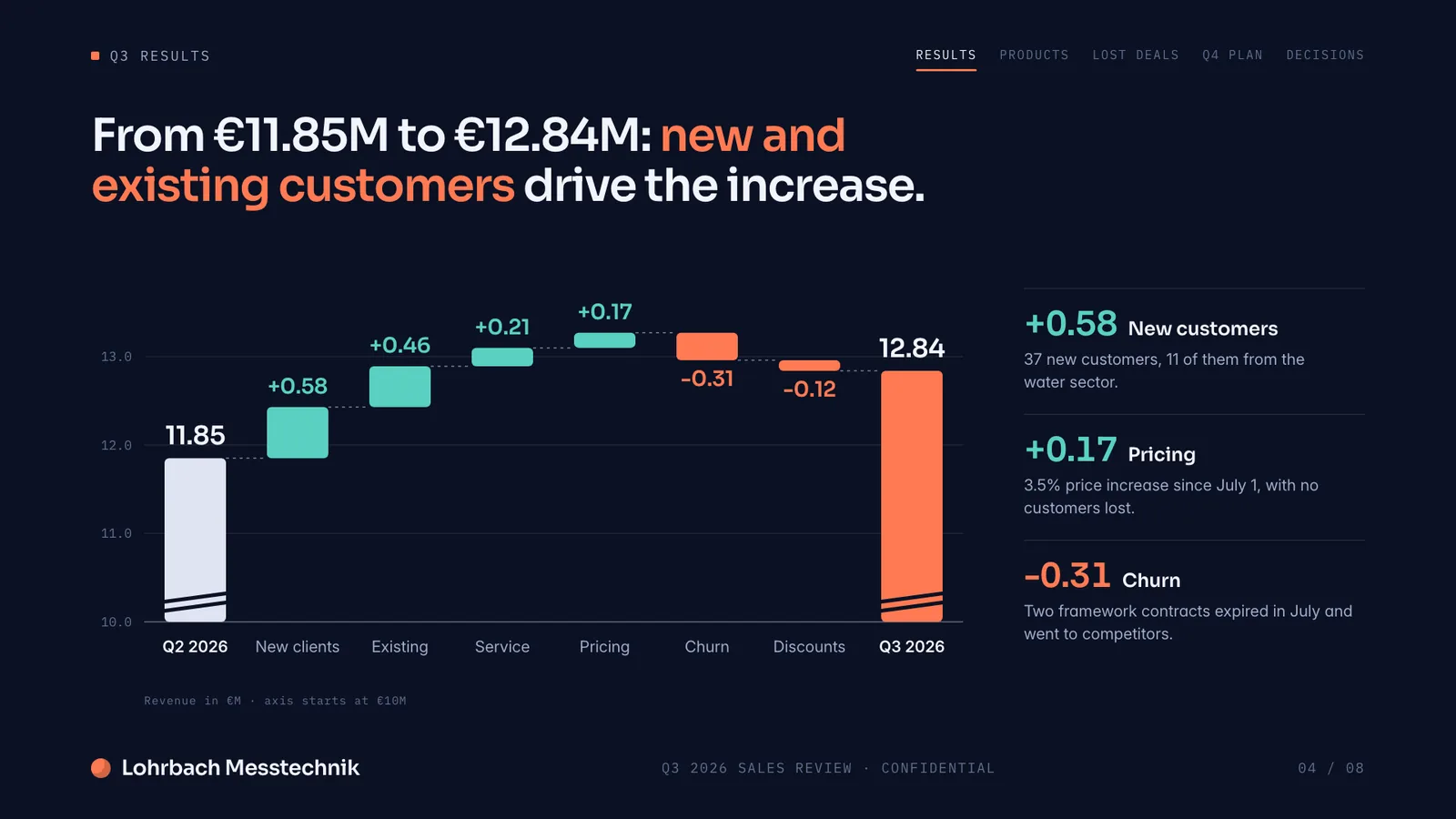
Example presentation for a fictional company. Names and numbers are sample valuesSee all 8 slidesExample in detail
To improve a PowerPoint with AI, upload your .pptx (up to 30 MB) to Slaide and write what should get better: shorter, clearer, translated, new numbers or speaker notes. Slaide reads the layouts, fonts and colours of your file and is instructed to change your design only where the request needs it. You see every change in the editor, can undo it, and download the result as a PowerPoint again. On Plus, Pro and Max, the export takes slides you did not change straight from your original file, byte for byte. On the free plan you try it on the first 3 slides; the export then redraws every slide and carries a small Slaide badge.
How Slaide designs slides
A quarterly review for a fictional company, designed by Slaide from scratch. On your own deck, Slaide uses your fonts, colours and layouts instead.
Enhance your PPT with AI: what Slaide changes
You describe the goal, Slaide does the busywork on your slides.
Break up walls of text
A slide with twelve lines of prose becomes one message with three short points. Whatever no longer fits moves into the speaker notes if you want, instead of getting lost.
Shorten and reorder
Forty slides become fifteen: Slaide summarises, removes duplicates, moves slides and suggests an order that builds towards one message.
Make it clearer
Headlines that state the point ("Q3 revenue 8% above plan") instead of naming a topic ("Revenue"). A tone that fits the audience, and less jargon for customers.
Translate
The whole deck into another language, speaker notes included. The layout stays; since translated text often runs longer, Slaide checks the slides for overflowing text afterwards.
Update the numbers
Attach an Excel or CSV file and Slaide replaces last quarter's values with the new ones, in tables, text and charts.
Add missing slides
A missing agenda, a summary up front, a next-steps slide: Slaide builds new slides in the style of the existing ones, with your fonts and colours.
Redesign one slide
An overloaded slide gets a new layout, such as two columns, a timeline or one big number, and the rest of the deck stays as it is.
Change it everywhere at once
A new product name, a new company name, a different date in the footer: Slaide searches all slides and replaces in one step.
Write speaker notes
For each slide, what you will say, at the length you ask for. Slaide reads the notes already in your file and builds on them.
Check its own work
After a change, Slaide renders the slide and checks it for overflowing or clipped text and weak contrast. If it finds something, it fixes it.
AI PowerPoint editor: what stays byte-identical
The question that matters most when a lot of work already went into a deck. The honest answer depends on your plan when you export.
How to edit your PowerPoint with AI
Upload your PowerPoint
Create a free account and choose the .pptx, up to 30 MB. Slaide reads the slides and then shows how many of them are fully editable. The free plan reads the first 3 slides, Plus up to 12, Pro and Max up to 150.
Write your request
One sentence is enough, more context helps: who it is for, what it is for, how long, what must not be touched. Attach material such as a spreadsheet, meeting notes or a link to a website.
Watch and steer
The slides change in the editor while Slaide works. Afterwards you click text and type, undo steps or write the next request.
Download as PowerPoint
Back as a .pptx for PowerPoint, Keynote or Google Slides, or as a PDF to send. The deck stays in your library.
Requests you can copy
These requests need your uploaded deck. Copy them into the input field after the upload and adjust the occasion, names and numbers.
Cut a board deck
Cut this deck from 40 to 15 slides for Monday's board meeting. One message per slide, written as a full sentence in the headline. Details that drop out go into the speaker notes. Leave the three slides with the financials unchanged.
For 40 slides you need Pro or Max: the free plan reads 3 slides, Plus 12.
Translate a sales deck
Translate the deck into German for our meeting with a logistics customer in Hamburg. Use the terms German logistics people use, keep prices in euros, translate the speaker notes too. Then check every slide for text that is too long.
Clean up training slides
Turn every text slide into a slide with one message and at most three points. Move the remaining text into the speaker notes so the trainer can say it. Do not change the exercise slides or the title slide.
Put in the new quarter
Replace the Q2 numbers with the ones from the attached Excel file, in tables, charts and text. Where a statement changes because of that, rewrite the headline, and list all slides you changed at the end.
Speaker notes for a trade show
Write speaker notes for a 20-minute talk at our trade show booth, about one minute per slide, in plain language, ending with a question for the audience. Do not change the slides themselves.
If Slaide only changes the notes, the slides stay byte-identical in the Plus, Pro and Max export.
Do it yourself, Copilot, an agency or Slaide?
Four ways to a better deck. Which one fits depends on what you already have and how much time you want to spend.
| Yourself in PowerPoint | Copilot in PowerPoint | Agency or designer | Slaide | |
|---|---|---|---|---|
| What you need | PowerPoint and time | A Microsoft 365 subscription with Copilot, for personal use for example Microsoft 365 Personal at $99.99 a year or $9.99 a month (US prices) | A brief and a budget | A browser and your .pptx |
| Who does the work | You, slide by slide | Copilot in your file: according to Microsoft it adds slides, updates content, reorganises sections and rewrites text | The agency, in review rounds | Slaide from your request, you review in the editor |
| Cost | Your working time | Included in the personal subscription; for business, Copilot Business on top of a business plan | By quote | Free for the first 3 slides, Plus €7.99 a month, Pro €17.99 a month |
| Your design | Stays, you work in it | Stays, Copilot works in your file | As agreed | Stays; unchanged slides byte-identical on Plus, Pro and Max |
| Watch out for | Takes time, especially with long decks | AI only for the subscription owner; PowerPoint for Windows, Mac or web | Plan for dates and correction rounds | Save .ppt as .pptx first; animations only survive on unchanged slides |
Limits to know before you upload
So nothing surprises you after the upload.
Test it for free on 3 typical slides
The free plan reads only the start of your file. Here is how to make the test count anyway.
The free account reads the first 3 slides of a deck. Usually that is the title, the agenda and one content slide. A better test uses the 3 hardest slides: the fullest text slide, one with a table or chart, and one with a lot of design.
Pull those slides into their own file with the free "Split PowerPoint" tool. It runs entirely in your browser, the deck is not uploaded. The same way you can leave out confidential slides first.
If a font looks different because it is not embedded in the file, the "Replace fonts in PowerPoint" tool swaps it first in all slides, masters and notes, also in your browser.
Improve or start over?
Improving pays off when the deck is right at its core: the audience is the same, the structure holds, the design is approved and often mandatory. Then every slide you keep is time saved, and Slaide changes only what no longer fits.
Starting over is faster when the old deck gets in the way: a new audience, a new message, or so many walls of text that hardly a slide would survive. Then you describe topic and audience and Slaide builds a new presentation. You carry content over by attaching the old deck as a PDF or pasting it into the request.
Start from scratch instead
Topic, audience and your notes in, a new presentation with outline, slides and speaker notes out, as an editable PowerPoint.
What it costs
The free plan reads the first 3 slides of your file, Plus up to 12, Pro and Max up to 150. Byte-identical unchanged slides come with the paid plans only. All plans can be cancelled any time.
Questions about improving a PowerPoint with AI
Anything missing? Ask us
Does my design stay the same?
Yes. Slaide works on your slides, with your fonts, colours and layouts, and is instructed to change the design only where the request needs it. On Plus, Pro and Max, the export takes unchanged slides byte for byte from your original file. On the free plan every slide is redrawn, so small differences such as other line breaks are possible.
Can I improve my PowerPoint with AI for free?
Yes, on the first 3 slides. The free account reads 3 slides; you have them improved and download them as a PowerPoint with a small Slaide badge, no credit card. Plus at €7.99 a month covers up to 12 slides; for longer decks you need Pro or Max.
Can I get it without a watermark?
The free export carries a small Slaide badge. Plus, Pro and Max export without it.
Will Slaide change slides I did not mention?
Slaide is instructed to change only what the request asks for. To be safe, set a clear limit in the request, such as "do not change slides 5 to 9". You see every change in the editor and can undo it.
Does it work with .ppt files?
No. Open the file in PowerPoint and save it as .pptx, then upload it. Slaide rejects a .ppt on upload with exactly that hint.
Does it work with Google Slides or Keynote?
Yes, through a .pptx. In Google Slides: File, Download, Microsoft PowerPoint (.pptx). In Keynote on a Mac: File, Export To, PowerPoint. You can open the result from Slaide in both again.
Can ChatGPT fix my PowerPoint instead?
Slaide works directly on your slides: you see each change in the editor, click text, undo steps and download a .pptx again, in which unchanged slides on Plus, Pro and Max come from your original file. We have not measured how well a chat tool handles your file. Try both with the same deck.
What happens to my deck (GDPR)?
Your account, uploaded files and documents are stored with Supabase in the EU. To edit, your request and the content it needs go through OpenRouter (USA) to the language model; training on your content is contractually excluded, and transfers rely on the EU-US Data Privacy Framework, otherwise on standard contractual clauses. Leave out confidential slides first with the "Split PowerPoint" tool, which runs only in your browser.
How large can my deck be?
Up to 30 MB per file and at most 150 slides. How many slides are read depends on the plan: 3 on the free plan, 12 on Plus, up to 150 on Pro and Max. If the file is too large, usually because of images or video, the free "Compress PowerPoint" tool helps.
Can I keep working in PowerPoint afterwards?
Yes. The export is an ordinary .pptx with text boxes, shapes and pictures. Changed charts come back as shapes or an image, not as a PowerPoint chart. You can upload the file again later and keep improving it.
What else can I attach?
Material for the request: Excel and CSV files, Word documents, PDFs, images and text files, up to 30 MB per file. Slaide also reads links in the request. That is how new numbers from a spreadsheet get onto the slides.
Sources on Microsoft, Apple and Google
Your deck, only better
Upload, write one sentence, review, download as PowerPoint. Free on the first 3 slides, no credit card.