Product help
PowerPoint export: what stays editable in the .pptx
Slaide exports presentations as real PowerPoint files with text boxes, shapes, pictures and speaker notes, so the last changes happen in PowerPoint instead of a new deck.
Free: 1 document, plan up to 12 pages, first 3 built, no credit card. Plans from €7.99/mo
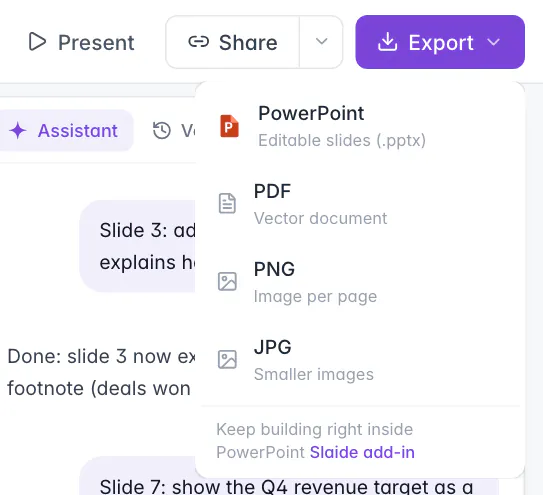
Export a presentation from the Export menu as PowerPoint (.pptx). Text becomes editable text boxes with native bullets, coloured areas become shapes, images become pictures, and speaker notes land in the notes. Charts become editable shapes or an image, not PowerPoint chart objects. Fonts are referenced, not embedded. Page documents such as A4 reports export as Word instead.
How to export
Three places lead to the same .pptx file.
Open the Export menu
In the editor, Export sits at the top right. For a presentation the first entry is PowerPoint, editable slides (.pptx).
Or use the button after a build
When Slaide has finished a run, the “Done” card in the assistant panel has a PowerPoint button.
Open the file in PowerPoint
The file downloads directly. Open it, check it and make your final changes there.
The Chrome extension offers the same download in its side panel when a deck is ready. It is the same file as from the editor.
What you can edit after export
Most of a slide arrives as native PowerPoint objects. The table shows what becomes what.
| On the Slaide slide | In PowerPoint |
|---|---|
| Headings, paragraphs, lists | Real text boxes, with native bullets and numbering. Type into them as usual. |
| Boxes, cards, coloured areas, lines | Native shapes, with rounded corners, borders, shadows and gradients where the slide has them. |
| Photos, logos, illustrations | Pictures you can move, crop and replace. |
| Charts and diagrams | Editable shapes where possible, otherwise an image of that part. Not native chart objects. |
| Special effects such as filters or radial gradients | Only that part becomes a transparent image, the rest of the slide stays editable. |
| Speaker notes | The notes of the slide. |
| Fonts | Referenced by name, not embedded. |
In rare cases a slide cannot be rebuilt from native objects. That slide then arrives as a background image with editable text boxes on top, so the wording can still be changed. The other slides of the deck are not affected.
Charts: shapes, not chart objects
The one point where the export differs from a deck you built in PowerPoint yourself.
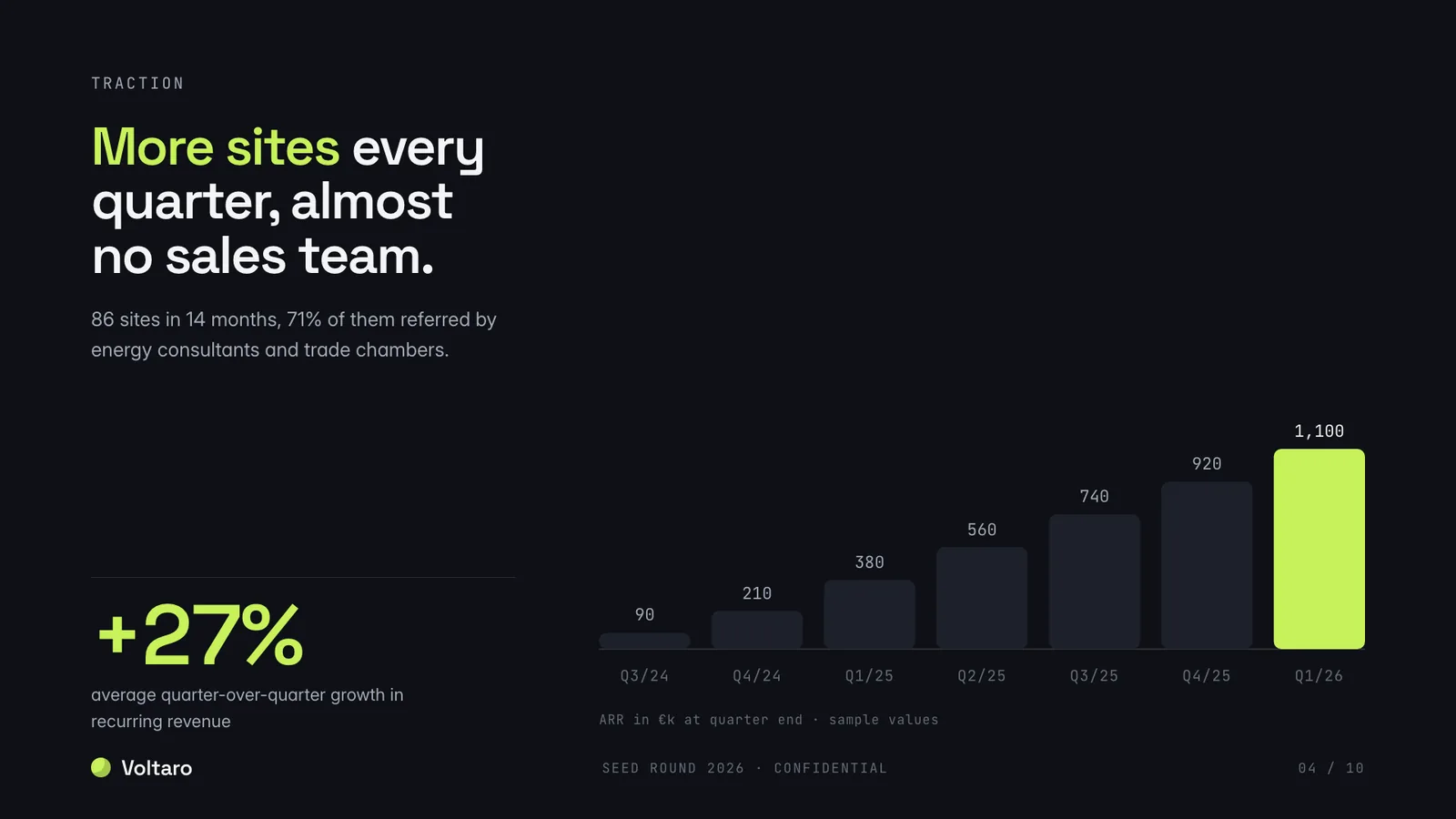
A bar chart on a Slaide slide is drawn from bars, lines and labels. In the .pptx these become PowerPoint shapes and text boxes, so you can recolour a bar, move a label or change a value in the text. There is no data sheet behind them, so PowerPoint cannot redraw the chart from new numbers.
If you plan to update a chart every month with new figures, ask Slaide for the new figures in the editor and export again, or insert a PowerPoint chart in that place. In a Word export, charts are always images.
Imported decks and your original file
If the deck came from your own PowerPoint, the export respects the original.
When you import a PowerPoint into Slaide and later export it again on a paid plan, slides you did not change are copied from your original file byte for byte. Animations and other details on those slides stay exactly as they were. Only slides you changed are drawn anew from the editor.
On the free plan the first 3 slides of an import are available, and every slide of a free export is drawn anew with a small Slaide mark.
PowerPoint, Word or PDF
Pick the format by what happens with the file next.
| Format | Use it when | Available for |
|---|---|---|
| PowerPoint (.pptx) | You or a colleague will keep editing slides, or you present from PowerPoint. | Slide formats such as 16:9 |
| Word (.docx) | The text has to flow, for example a report someone will revise. | Page formats such as A4 |
| Nobody needs to edit it anymore: sending, printing, archiving. | Every document |
If something looks different in PowerPoint
Common observations after an export, and what to do.
| You notice | Why | What to do |
|---|---|---|
| Line breaks moved, text looks wider or narrower | A font of the deck is not installed on this computer, and PowerPoint uses another one. | Install the font, or ask Slaide to use a font that is available on the presenting computer and export again. |
| A chart cannot be edited with new data | Charts are exported as shapes or an image, not as chart objects. | Change the figures in Slaide and export again, or insert a PowerPoint chart in that place. |
| One slide is an image with text boxes on top | That slide could not be rebuilt from native objects. | The text is still editable. Ask Slaide to rebuild the slide, then export again. |
| A small Slaide mark on the slides | The file was exported on the free plan. | Paid plans export without the mark. |
| Word instead of PowerPoint in the menu | The document has a page format such as A4. | Change the format to slides in the plan or by request, or export as PDF. |
| The notes pane is empty | The slide has no speaker notes. | Add notes under the slide in Slaide, or ask Slaide to write them, and export again. |
The Slaide add-in for PowerPoint
The “Slaide add-in” link in the export menu leads here.
Besides the export, Slaide has an add-in that runs inside PowerPoint. You describe the deck in a pane next to your slides, the same agent builds it, and you insert the result into the open presentation or open it as a new one, as editable slides. It uses your Slaide account and plan, and the document also appears in your Slaide library.
If you cannot find Slaide under Home, Add-ins in your PowerPoint, use the export described above. It produces the same kind of editable slides.
Before an important presentation
A short check in PowerPoint saves surprises in the room.
FAQ
Anything missing? Ask us
Does Slaide export editable PowerPoint files?
Yes. Text becomes real PowerPoint text boxes with native bullets and numbering, coloured areas become native shapes and images become pictures. You can change the wording, move and resize elements and restyle them in PowerPoint.
Are charts exported as PowerPoint chart objects?
No. Charts and diagrams are exported as editable PowerPoint shapes where that is possible, and as an image where it is not. They are not native chart objects with an editable data sheet. If you need a chart you can feed with new data in PowerPoint, insert it there.
Are speaker notes included?
Yes. Notes you add under a slide, or ask Slaide to write, are exported into the notes of that slide in PowerPoint.
Are fonts embedded in the .pptx?
No. The file references fonts by name. If a font is not installed on the computer that opens the file, PowerPoint replaces it with another one, which can change line breaks. Check the file on the computer you will present from.
Can I export a report or another A4 document to PowerPoint?
The PowerPoint export is for slide formats. A document in a page format such as A4 exports as Word (.docx) instead, and every document also exports as PDF. To get slides from a report, ask Slaide to turn it into a presentation.
What happens to a deck I imported from PowerPoint?
On paid plans, slides you did not change are copied from your original file byte for byte when you export, and only the changed slides are drawn anew. Free exports carry a small Slaide mark and are always drawn anew. Paid plans start at €7.99 a month.
Build the deck in Slaide, finish it in PowerPoint
Your first presentation is free, with the first 3 slides built and exported as an editable .pptx.